Vineforce Teams
Better decisions start with clarity
not surface metrics.
Vineforce Teams helps organizations understand how work actually happens. By turning daily activities into meaningful insights, teams stay focused, managers make better decisions, and productivity improves naturally.
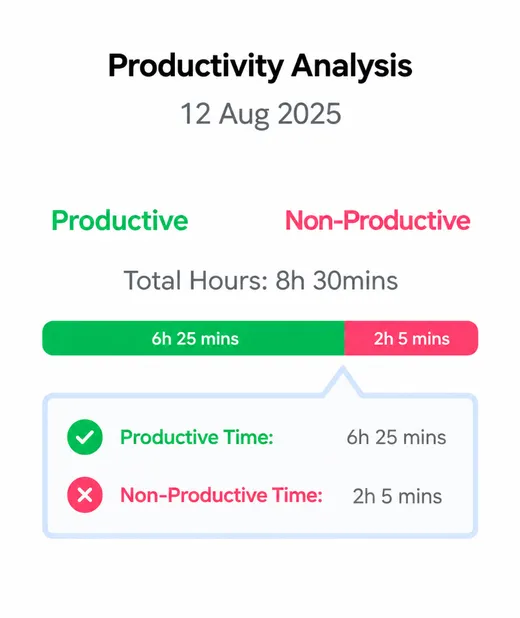
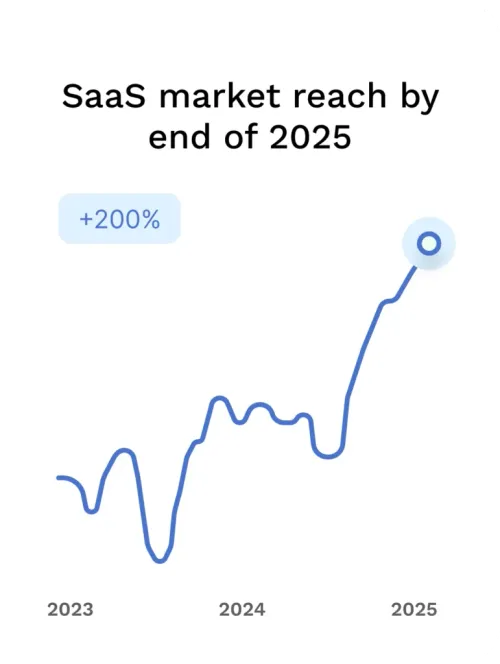
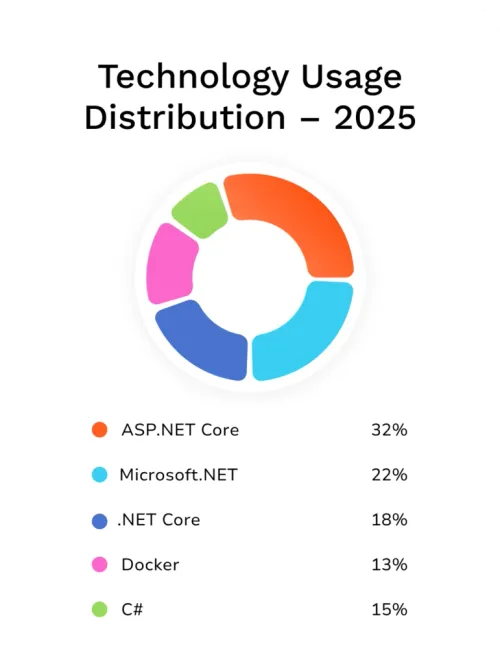
Time Tracking & Productivity Insights
0 k+
Hours Tracked
0 +
Apps & URLs
0 k+
Screenshots
0 +
AI Reviews
0 +
Projects & Teams
Track time automatically, understand work patterns, and gain actionable insights without interrupting your team's flow or creating pressure.

Deployment Options
Choose the Tracking Experience That Fits Your Team
Vineforce Teams supports both low-interruption automatic tracking and interactive user-controlled monitoring. Select the deployment model that best matches your company workflow.
Primary Focus · Low Interruption
Background ModeSilent Tracking Application
Track automatically. Work without interruption.
Runs quietly in the background on employee and candidate workstations. Automatically captures work activity, logs application usage, and detects idle periods without requiring daily manual interaction or constant screen switching.
- Automatic Background Tracking Starts with system boot with zero manual start or stop buttons needed.
- Smart Idle Detection Separates real focus hours from away time automatically without popups.
- Lightweight Resource Footprint Engineered to run with minimal CPU and memory overhead on all workstations.
- Centralized Administrator Reporting Managers review verified timelines and productivity trends on the web console.
Explore Silent Tracking Available for Windows, Linux, and macOS
Interactive Mode
Full ControlDesktop Application
Full tracking control from the desktop.
Installed directly on user workstations, providing employees with an interactive desktop interface. Team members can start or stop tracking, switch to Private Mode, and review their personal time metrics.
- Direct User Control Manually start, pause, and stop tracking sessions with a single click.
- Private Mode Protection Pause activity logging during personal breaks and confidential tasks.
- Personal Dashboard Instant visibility into logged work hours, focus metrics, and projects.
- Native Cross-Platform Client Tray and menu bar integration across Windows, macOS, and Linux.
Explore Desktop Application Self-managed tracking
Features
Everything you need to Scale productivity
Vineforce Teams is built to support both individuals and organizations. It provides the insights teams need to improve daily work while giving leaders the clarity required to scale efficiently.
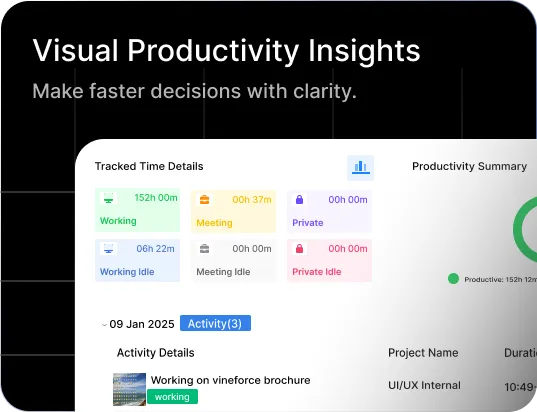
Employees can see how their time is distributed across tasks and applications. This awareness helps them reduce distractions.
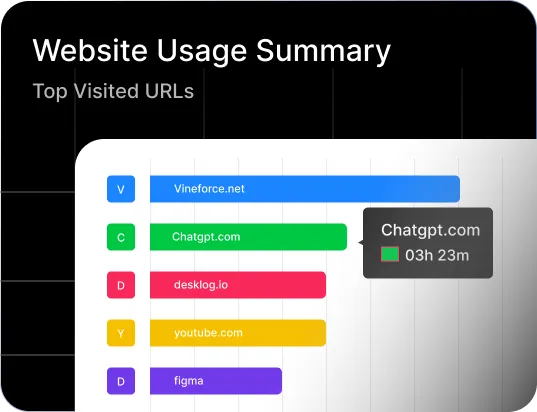
Understand which websites support productive work and which ones slow teams down. This helps create healthier digital habits across the organization.
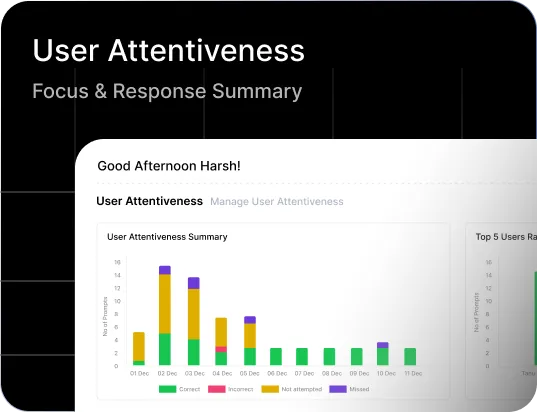
Measure engagement levels during work hours to identify focus patterns and improvement opportunities while respecting employee autonomy.
Scale productivity without adding complexity
Vineforce Teams grows with your organization. Whether you manage a small team or a large workforce, the platform adapts easily and delivers insights that remain simple and actionable.
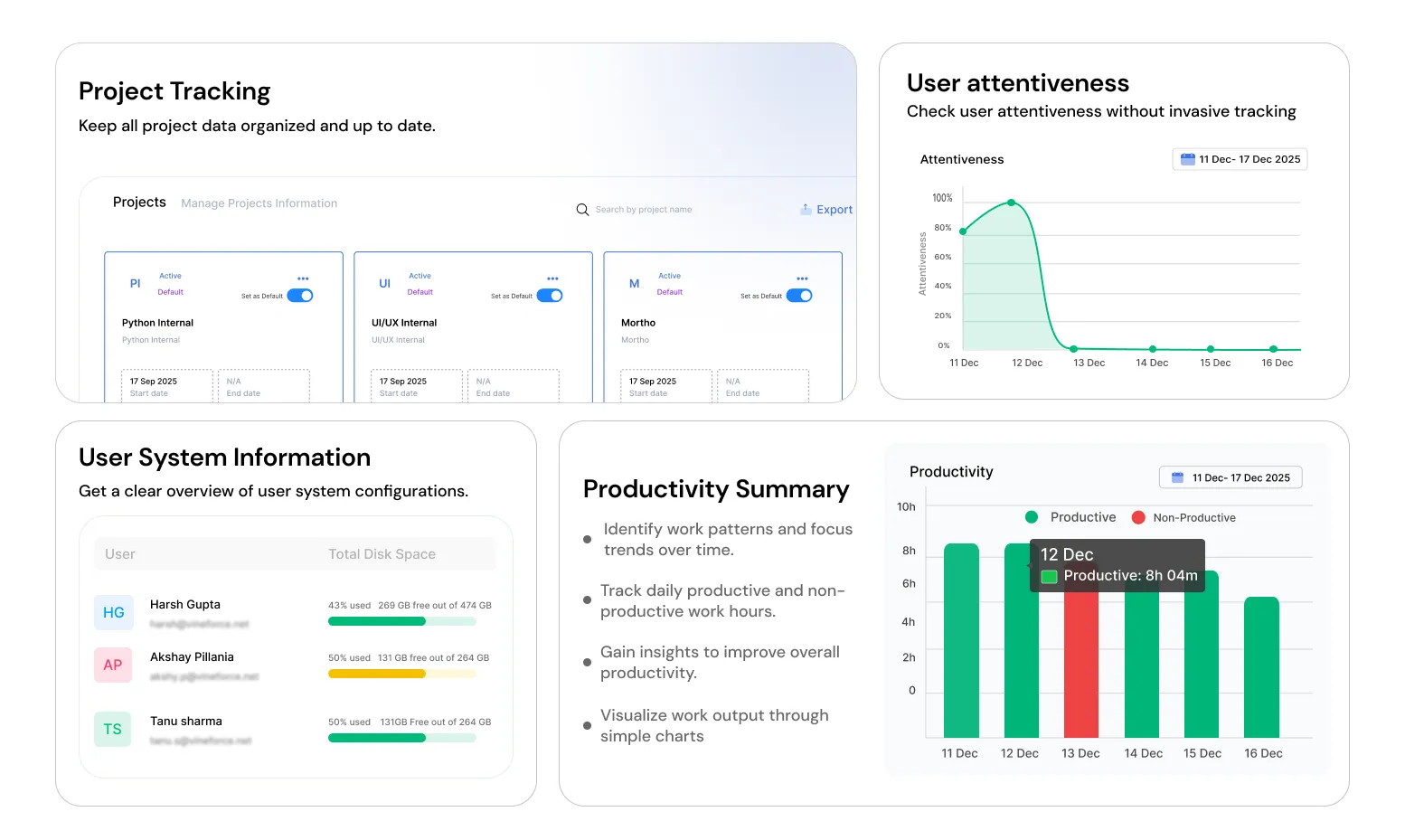
Trusted by teams around the world
Vineforce Teams is used across multiple countries, making it easier for organizations to manage distributed teams while maintaining transparency and productivity.
Book a Meeting




Get started today!
Seamless Integrations
With Your Existing Tools
Vineforce Teams fits naturally into your workflow. Connect with your daily tools to keep tracking consistent and insights reliable without disrupting how your team works.


Complete visibility from activity tracking to insights
Vineforce Teams captures work data responsibly and transforms it into meaningful reports that help teams improve performance, planning, and accountability.
Offline Time Tracking
Productivity
Unstable internet will not affect your tracking. It captures your work offline and syncs it safely when you are back online
ExploreProject Tracking
Management
Understand how time is spent across projects to improve planning, resource allocation, and delivery timelines.
ExploreZero-Click Mode
Hands-free logging
Automatically track activities without interrupting work, ensuring accurate data with zero effort.
ExploreUser Attentiveness
Attention Checker
Confirms employee presence using a simple and friendly prompt, without screen monitoring or constant tracking.
ExploreSmart Idle Detection
Identify wasted time
Intelligently detects inactive time so productivity reports reflect real working patterns and accurate work hours.
ExploreApp & URL Tracking
Monitoring application Usage
Understand how applications and websites are used during work hours, enabling productivity driven decisions.
Explore01.
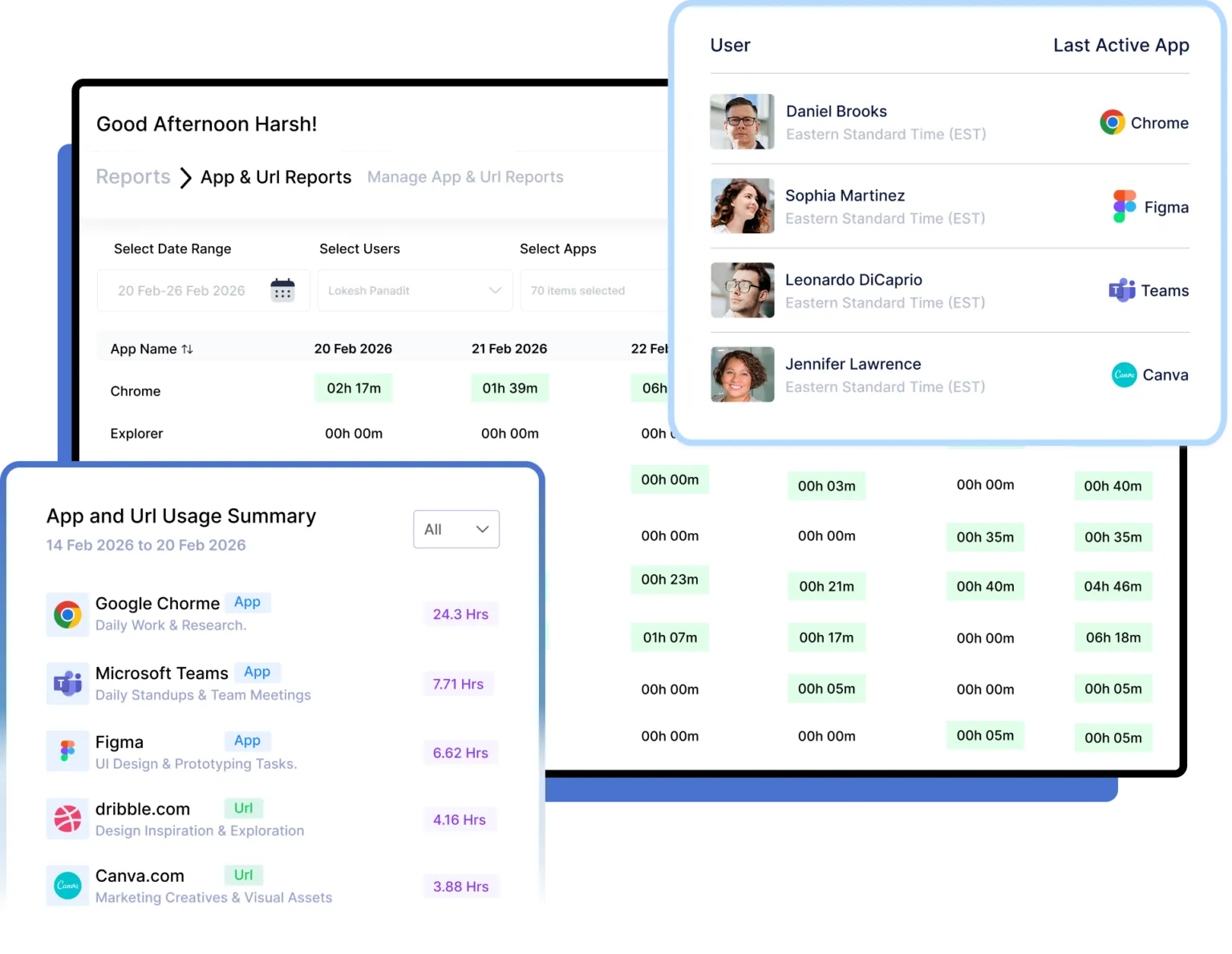
Understand How Your Team Spends Time
Understanding productivity starts with visibility. Without app-level insights, managers are left relying on assumptions instead of data. Our platform gives you a complete breakdown of how your team spends time across applications like Chrome, Teams, Figma, and more.
- Clear Visibility Into Work Patterns
- Improved Productivity & Focus
- Smarter Decisions With Real Data
02.
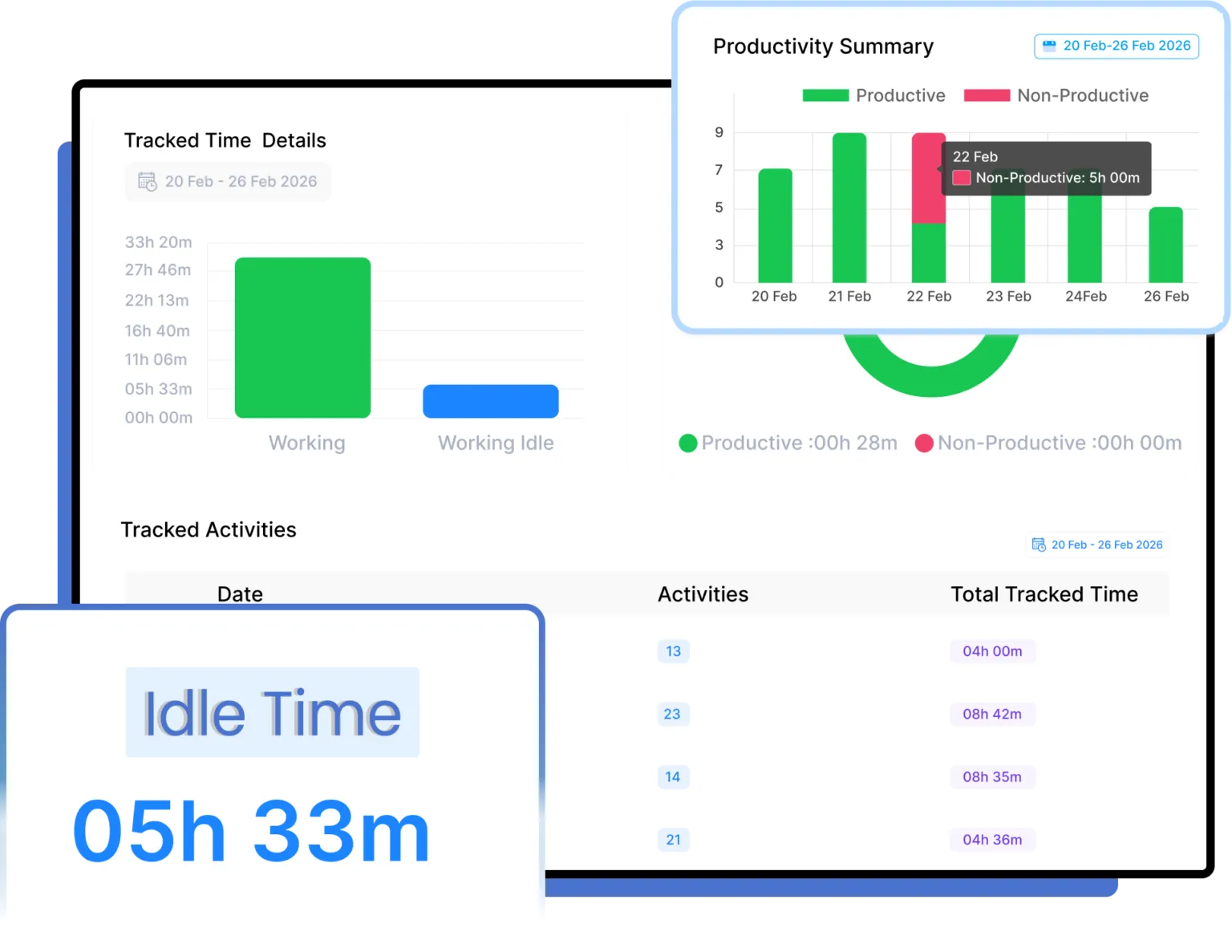
Measure Productivity with Smart Time Tracking
Separate productive work from non-productive hours with detailed activity tracking. See where time adds value and where improvements are needed, helping managers optimize schedules, balance workloads, and support better work habits.
- Clear view of productive and non-productive work hours.
- Spot distractions and idle time to help teams stay focused.
- Optimize schedules and improve team performance.
03.
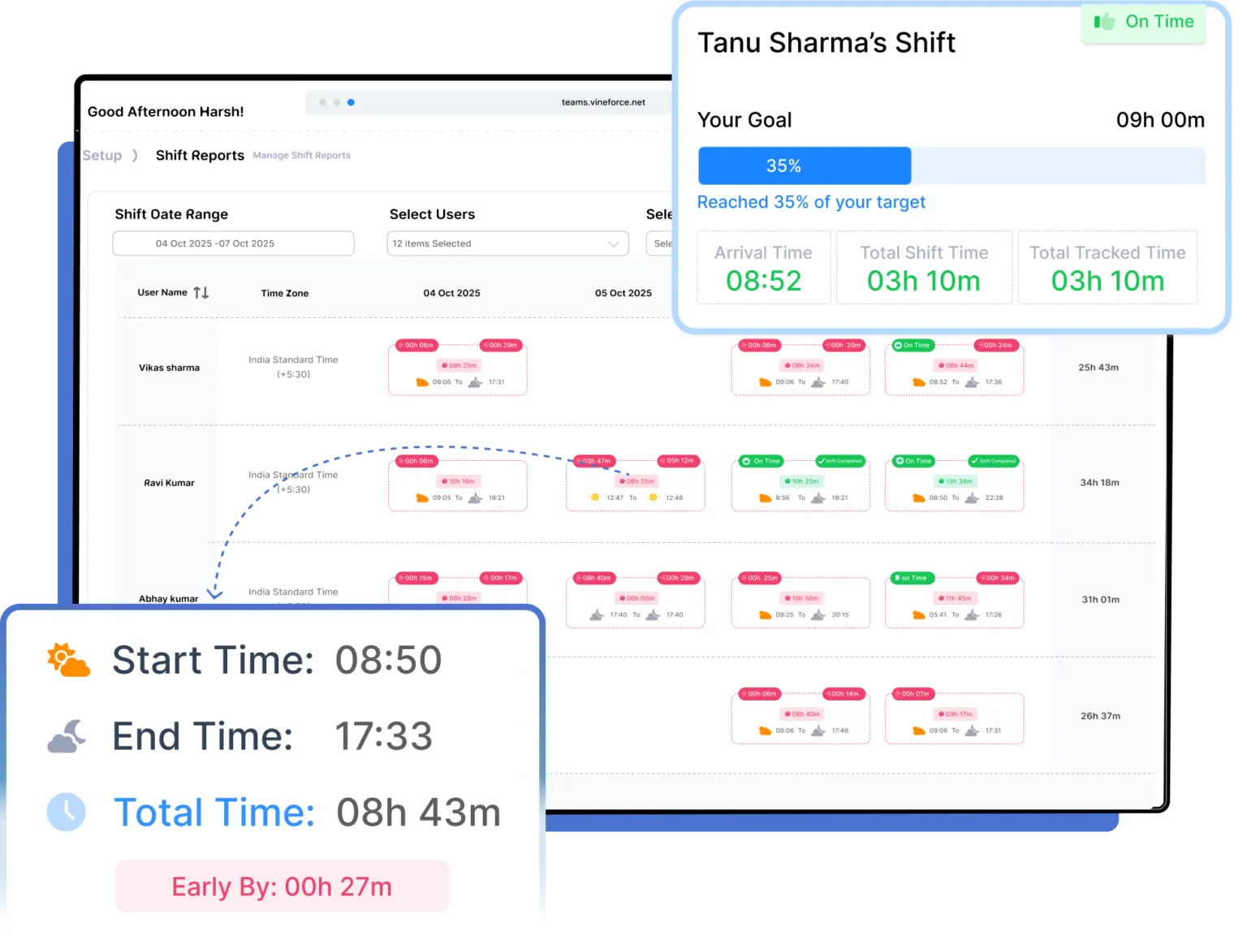
Accurate Shifts. Reliable Workforce Data.
Take full control of your workforce with smart Shift Tracking & Management. Instantly create and assign shifts, track attendance with precision, and remove scheduling guesswork. Ensure every team member stays aligned, punctual, and productive all from one centralized dashboard.
- Track employee shifts in real time with start, break, and end times.
- Shift compliance by reducing late logins, early logouts, and time gaps.
- Use shift data to optimize schedules, balance workloads.
Testimonials
See what our happy users are sharing about us
Vineforce Teams helped us understand how work hours are actually spent across projects. Time tracking is accurate, reporting is simple, and our team productivity has improved noticeably.
MZ
Mark Zellers
What stands out about Vineforce Teams is how it improves accountability without creating pressure. Managers gain useful insights while employees continue working comfortably and efficiently every day.
NL
Natalia Larsson
As a remote organization, tracking productivity was always difficult. Vineforce Teams brought visibility, better collaboration, and structured workforce management without affecting team trust or communication.
SE
Sarah Edrissi
Vineforce Teams replaced manual reporting processes with real-time workforce analytics. Our leadership team now makes faster operational decisions using accurate productivity and attendance insights.
DB
Daniel Brooks
Offline tracking works perfectly for our field workforce operations. Vineforce Teams ensures work data syncs automatically later, preventing time loss even when employees operate without stable internet.
AY
Anna Yon
The activity insights provided by Vineforce Teams helped our staff stay focused and organized. It supports performance improvement while maintaining a healthy and positive work environment.
EC
Ethan Carter
Frequently asked questions!
Vineforce Teams is a productivity and time tracking tool that helps teams understand how work time is spent and improve focus without intrusive monitoring.
Setup is quick and simple. Teams can get started in minutes with a guided onboarding process and minimal configuration.
Yes. Vineforce Teams continues tracking work offline and automatically syncs data once the internet connection is restored.
Yes. Managers can access detailed reports to understand both individual performance and overall team productivity.
We understand that your needs can change. If you approach your plan’s limits, we will notify you. You can easily upgrade to a higher plan at any time from your account dashboard to get more users, projects, or storage.
