






GET 30-MINUTE FREE CONSULTATION

User Attentiveness

The User Attentiveness Checker is a simple, smart tool that verifies whether remote employees are actively engaged. Instead of monitoring screens or tracking every mouse move, it uses a quick, friendly prompt to confirm presence.

Enjoy a 07-day free trial with no credit card required.

By creating an account, you accept our Terms and Privacy Policy.

User Attentiveness dashboard image
GetApp
Software Advice
Microsoft Azure Marketplace
Product Hunt
G2
Capterra
GoodFirms
GetApp
Software Advice
Microsoft Azure Marketplace
Product Hunt
G2
Capterra
GoodFirms

Smart Attentiveness for Better Focus

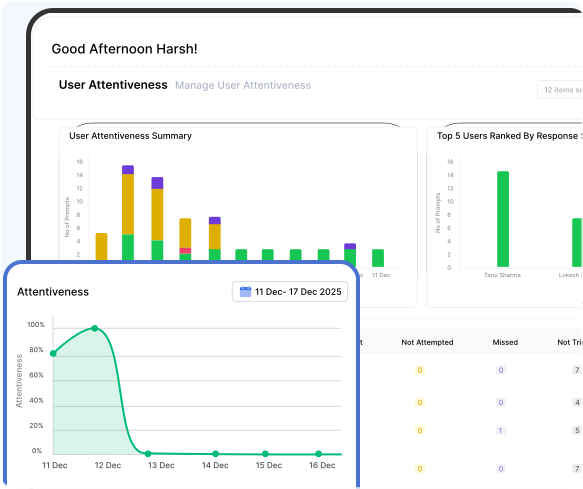
This summary shows how attentively a user responds to prompts while working, helping monitor engagement and focus throughout the day.

Smart and non-intrusive user attentiveness image

Smart & Non-Intrusive User Attentiveness

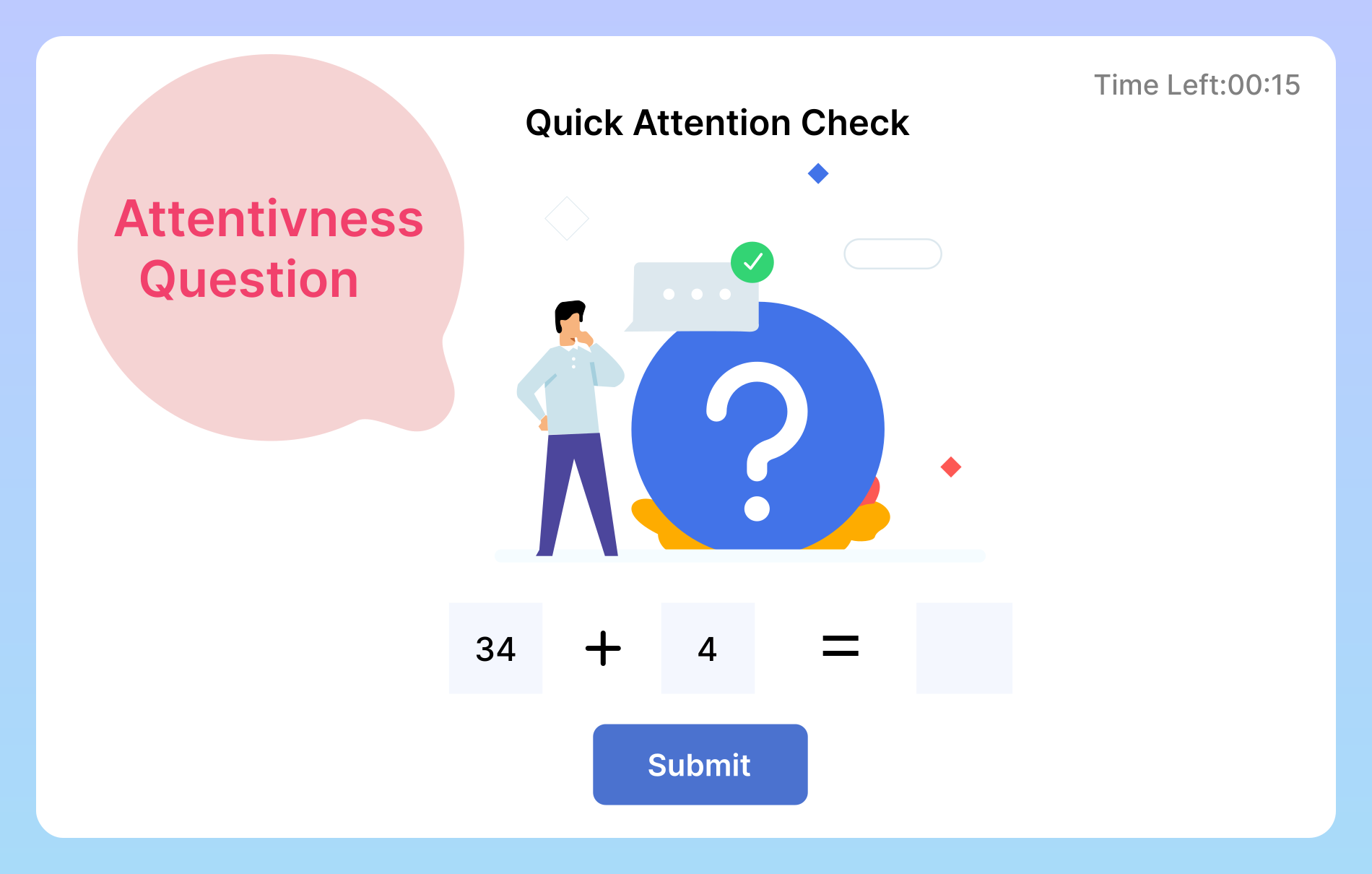
Our Attentiveness Checker ensures employees are actively engaged without disrupting their workflow. It verifies real presence through quick, intelligent prompts that are easy to respond to Questions appear at different times to check real engagement. Small pop-ups that are fast to answer and disappear automatically. Works when the user is logged in and active, not when the device is locked.
How Attentiveness Tracking Works

The Smart User Attentiveness Checker sends quick presence checks to users to make sure they are active. When a prompt appears, the user just needs to respond.

User attentiveness summary image

User Attentiveness Summary

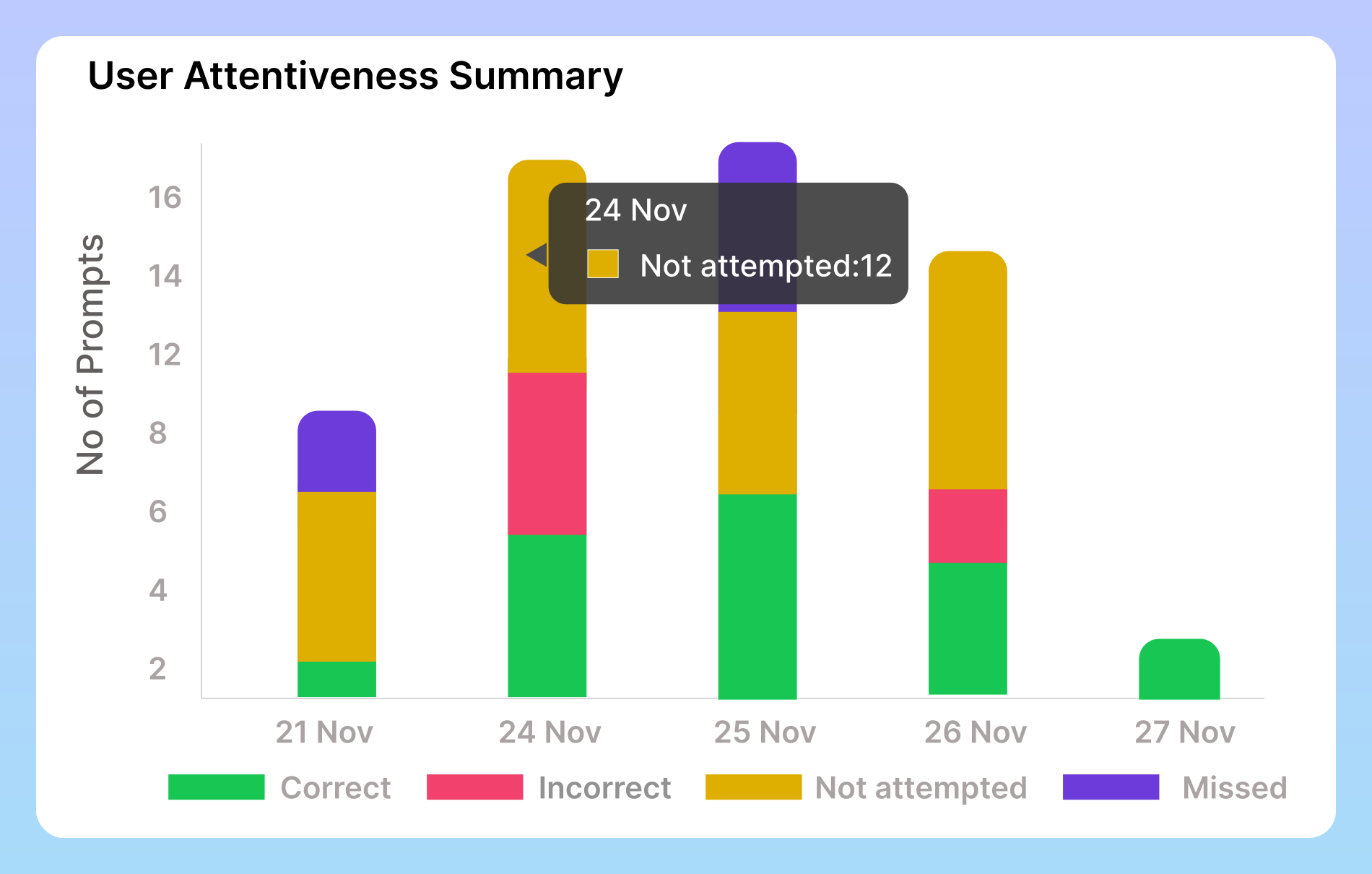
The User Attentiveness Summary chart provides a daily snapshot of how employees respond to attentiveness prompts. It clearly displays four types of outcomes Correct, when a user answers accurately Incorrect, when a response is given but is wrong Not Attempted, when the user does not respond even though the prompt appears and Missed, when the user is away or the prompt expires.

Users ranked by response status image

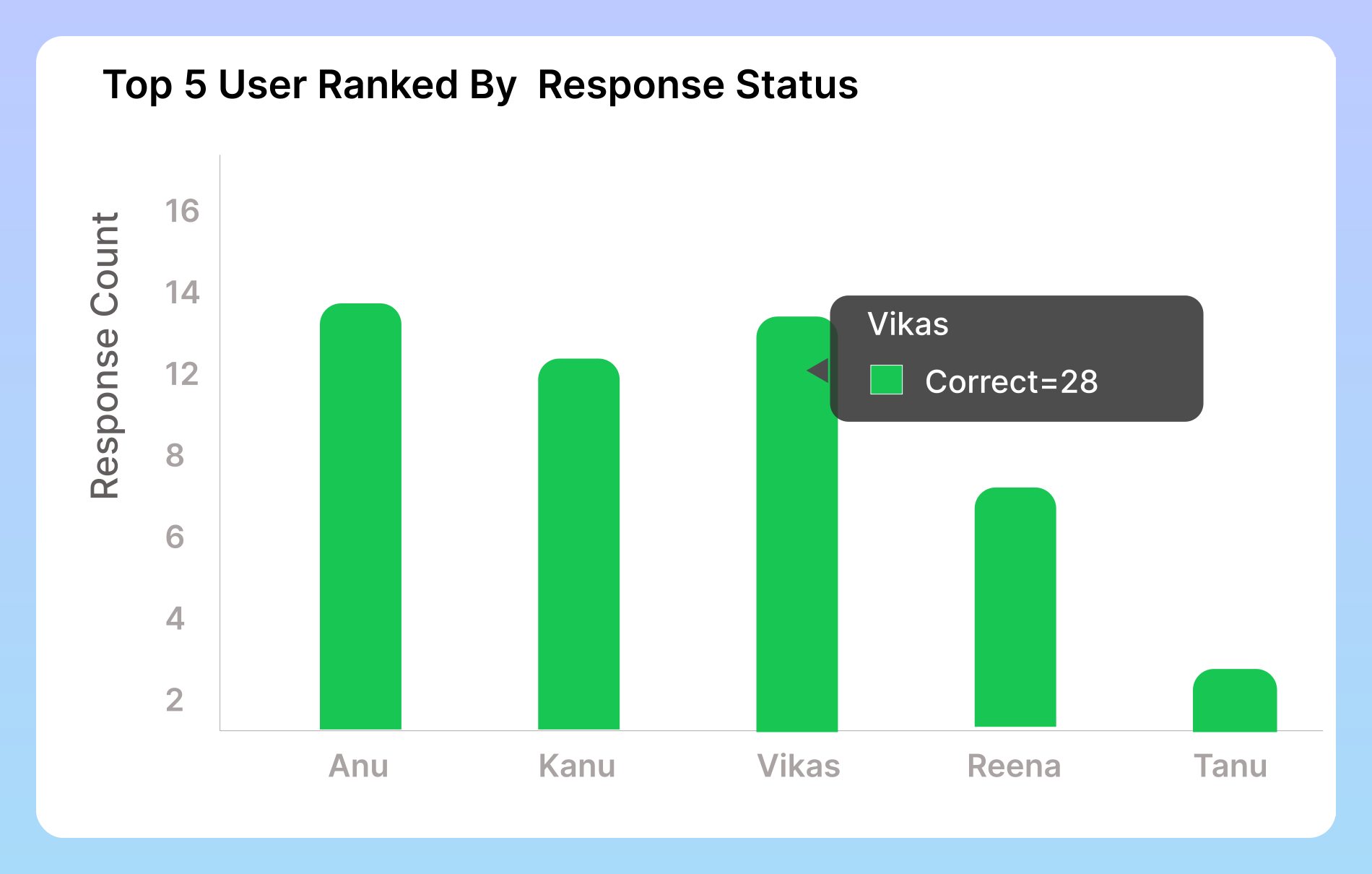
Users Ranked by Response Status

This section highlights your top performers by showcasing the users with the highest number of correct attentiveness responses. It helps you instantly identify who stayed the most alert, responded accurately, and maintained consistent engagement. By comparing each user’s performance, you gain a clear view of individual focus levels and can easily recognize your most active and attentive team members.

Detailed user attentiveness response image

Detailed User Attentiveness Response

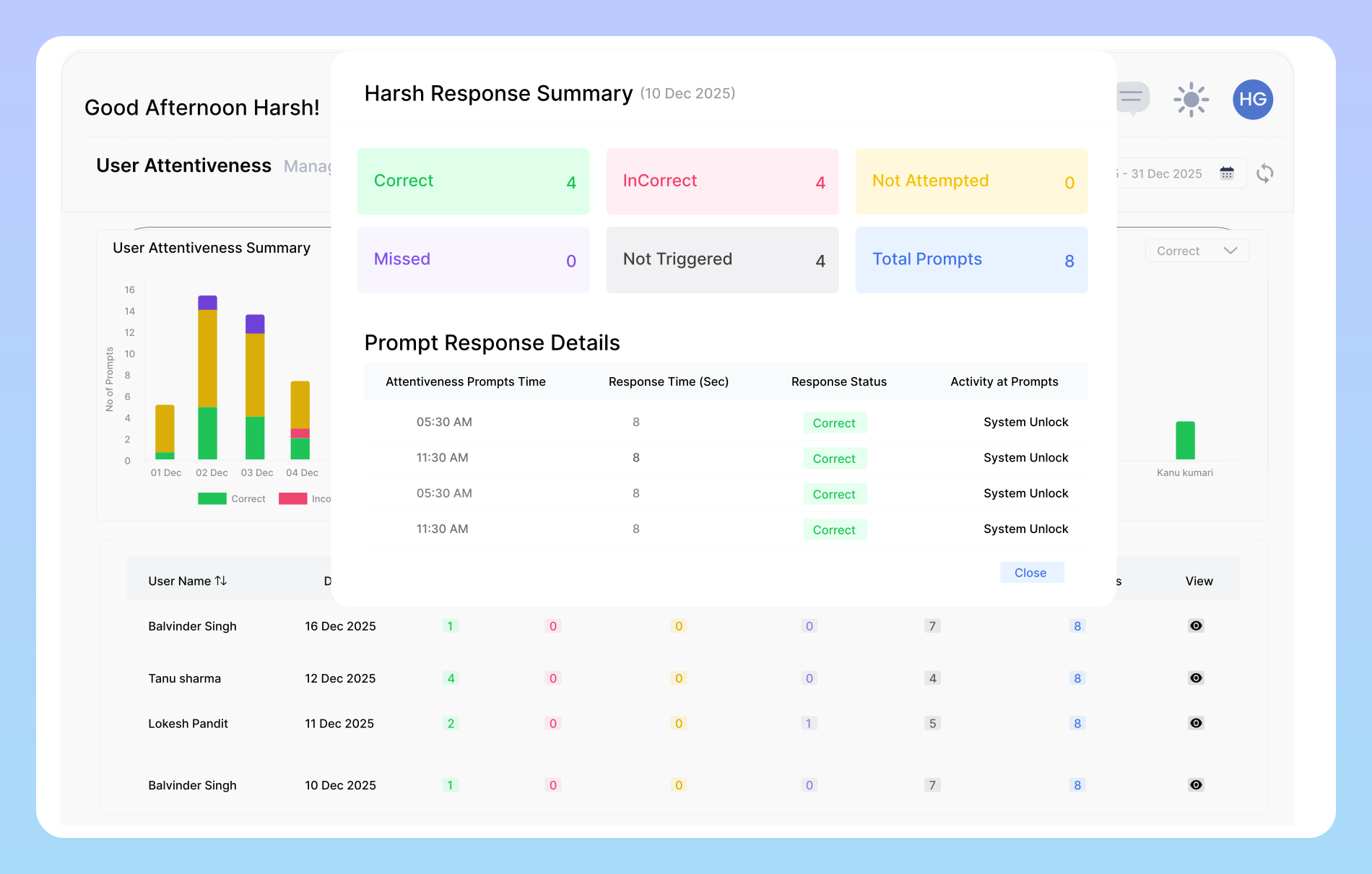
This table provides a detailed breakdown of user activity, organized by each user and each day. It displays the number of correct and incorrect responses, prompts that were not attempted, missed prompts, and those that were not triggered, along with the total number of prompts received. This gives a complete, easy-to-read overview of individual attentiveness and daily engagement. It also highlights missed prompts.

User Attentiveness Setting Information

This summary provides insights into a user's responsiveness to prompts, enabling better monitoring of focus and engagement throughout the day.

Attentiveness Promt count

Attentiveness Promt count

Set the number of attentiveness questions that will appear every hour. This helps ensure the user stays focused and actively engaged during their work session. You can increase or decrease the frequency based on how closely you want to monitor attentiveness.

Disappear Promt Time

Disappear Promt Time

Choose how long the attentiveness question should remain visible on the screen before it automatically disappears. This lets you control how much response time the user gets and ensures the prompt doesn't stay on the screen longer than necessary.

Total shift Hours

Total shift Hours

Define the full number of hours a user is expected to work in a day. This value represents their complete daily shift duration and helps ensure accurate scheduling, time tracking, and productivity monitoring throughout the workday.

Frequently Asked Questions

You can customize the number of prompts per hour. The system will show them randomly within that timeframe to avoid predictability.

Yes. You can set the duration for how long the question stays on the screen before it automatically disappears.

The User Attentiveness Checker is a feature that shows quick questions at random times to ensure users are active, focused, and present during their work session.

Missed prompts may be logged as inactivity or low attentiveness. The impact depends on how the organization configures the system.

All data is encrypted and stored securely. Access to idle time reports is restricted to authorized managers and administrators within your organization. The data is used solely for your internal productivity and workflow analysis and is never shared with or sold to third parties.

Ready to streamline your entire workflow?

Vineforce Teams makes it simple to monitor employee productivity with automated time tracking, smart idle detection, and detailed reporting. Build the perfect system to manage projects, ensure accountability, and get insights into your team’s workflow, all in one place.