






GET 30-MINUTE FREE CONSULTATION

Vineforce Teams + ClickUp

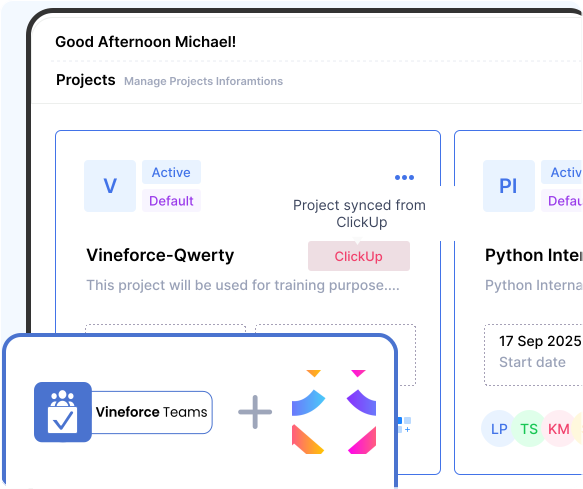
Vineforce Teams now integrates smoothly with ClickUp, allowing you to bring your ClickUp projects directly into Vineforce Teams. Manage your work, track time, and monitor productivity all from one unified platform.

Enjoy a 07 day free trial with no credit card required.

By creating an account, you accept our Terms and Privacy Policy.

Integration with clickup image
GetApp
Software Advice
Microsoft Azure Marketplace
Product Hunt
G2
Capterra
GoodFirms
GetApp
Software Advice
Microsoft Azure Marketplace
Product Hunt
G2
Capterra
GoodFirms

How Vineforce Teams Works with ClickUp

Vineforce Teams works with ClickUp by importing your projects, syncing updates when needed, and enabling time tracking and productivity monitoring all from a single unified dashboard.

Connect vineforce teams with clickUp image

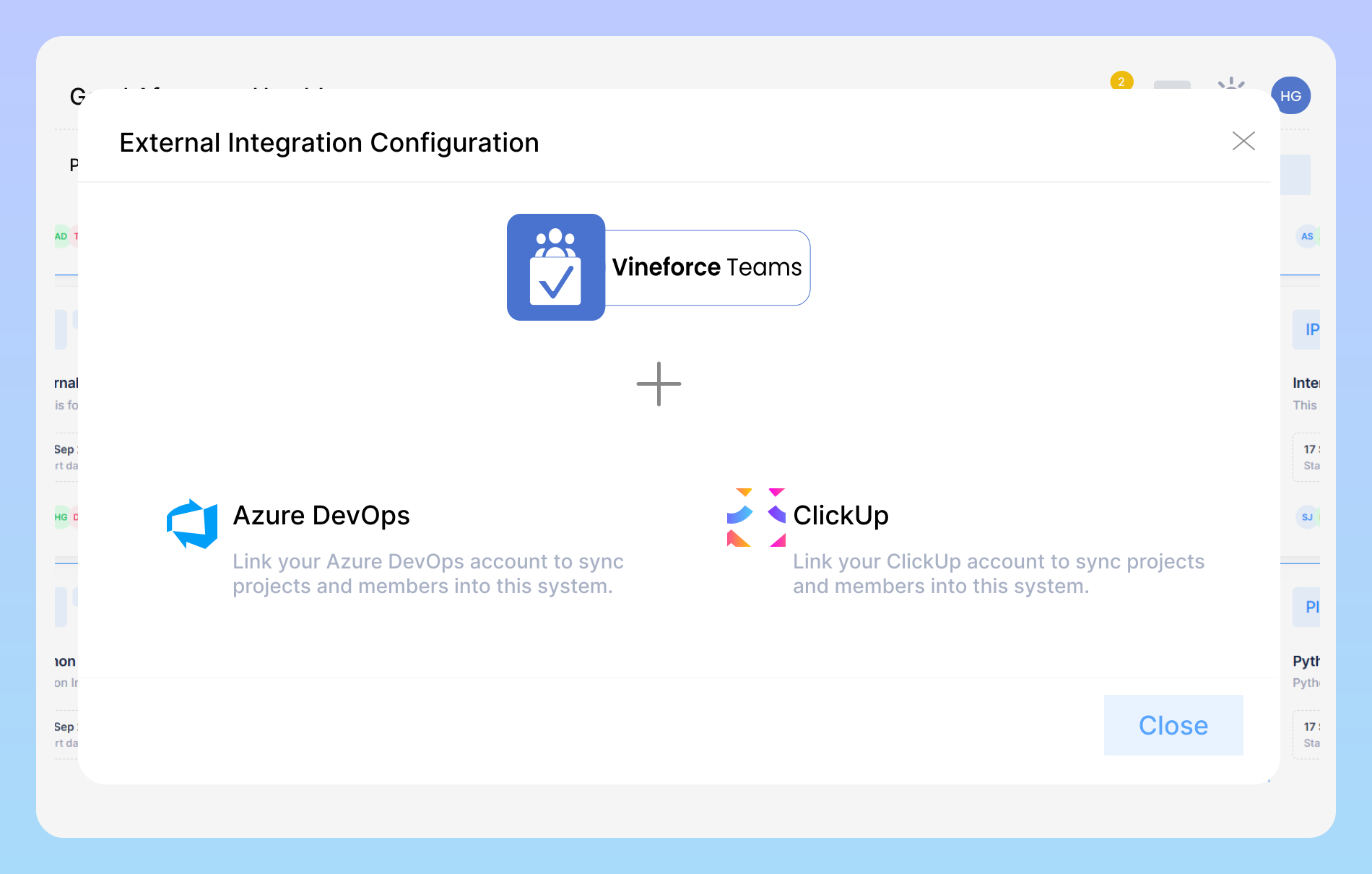
Connect Vineforce Teams with ClickUp

Connect Vineforce Teams with ClickUp to effortlessly sync your projects, tasks, and team members. Any updates made in ClickUp are automatically reflected in Vineforce Teams, ensuring your team stays aligned, productive.
Enter your clickUp integration details image

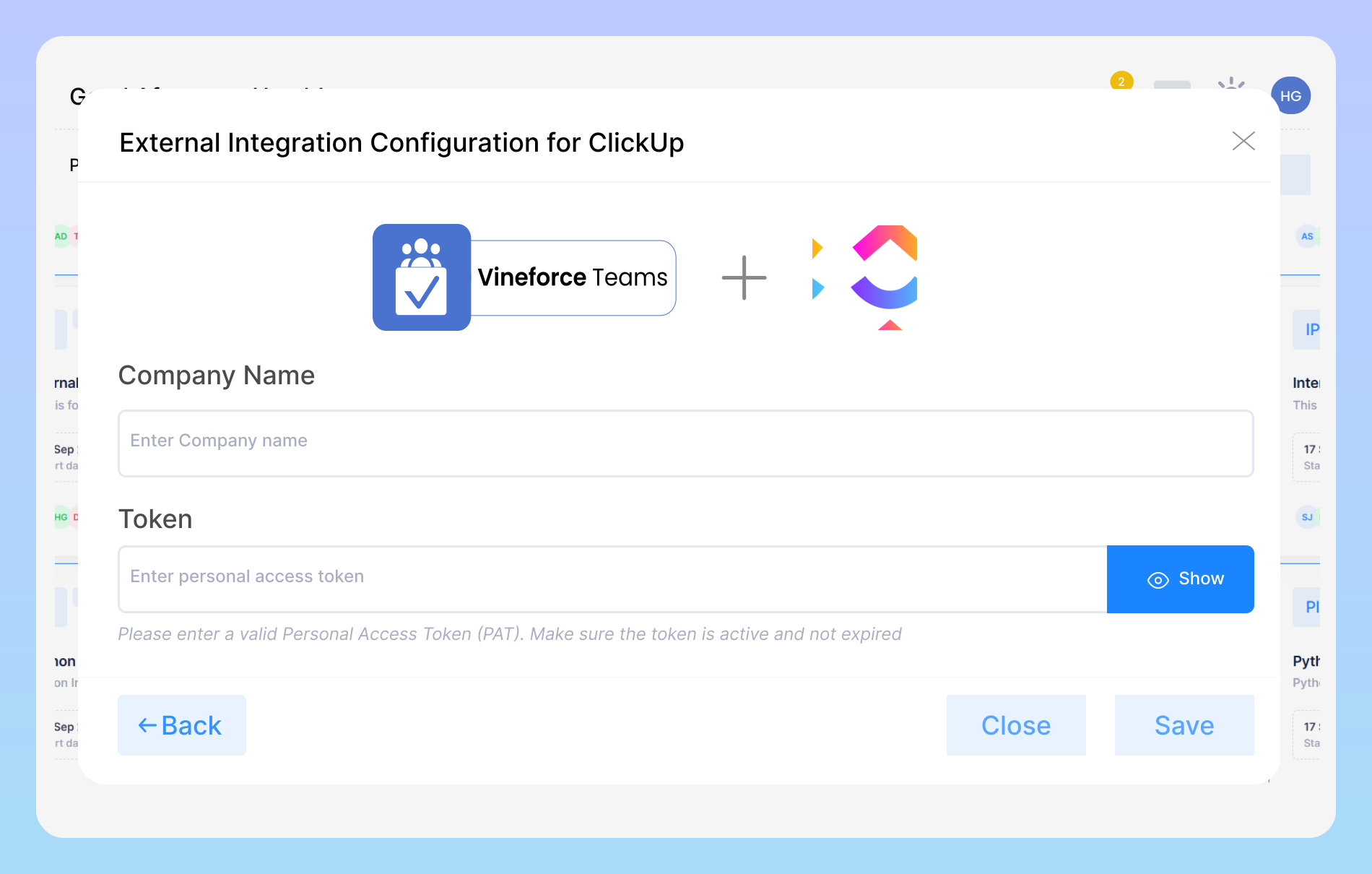
Enter Your ClickUp Integration Details

Provide your company name and a valid ClickUp Personal Access Token (PAT) to securely connect Vineforce Teams with your ClickUp account. Once saved, your projects, tasks, and team members will sync automatically, keeping your workflow seamless and up-to-date.

Seamless sync with clickUp image

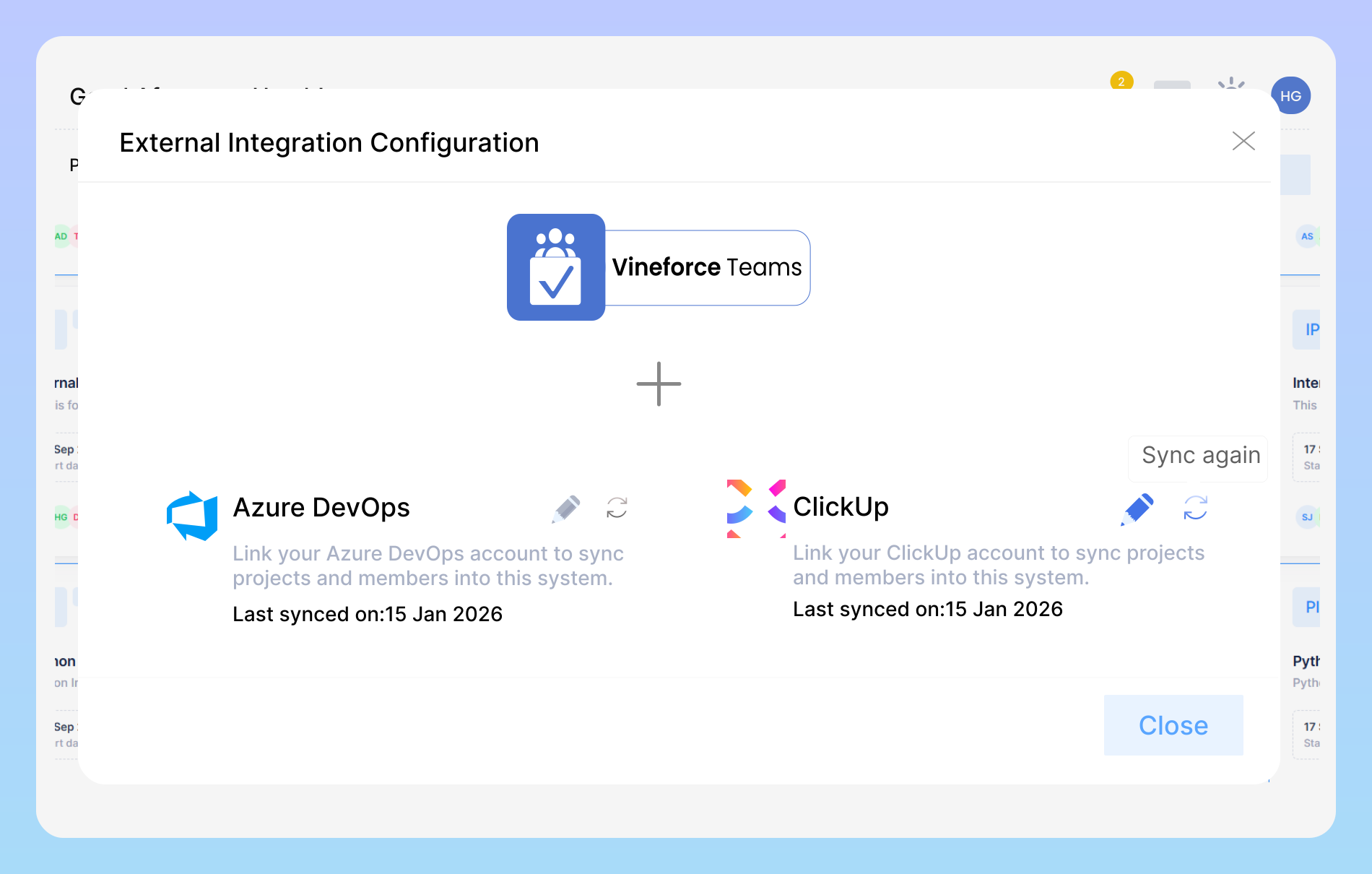
Seamless Sync with ClickUp

Keep your projects and tasks up-to-date effortlessly. Vineforce Teams automatically syncs with your ClickUp account, ensuring that all changes, updates, and progress are reflected in real time. Never miss a beat, and manage your work more efficiently with accurate, synchronized data across platforms.

Benefits of Vineforce Teams + ClickUp Integration

Streamline project management and team collaboration by seamlessly connecting Vineforce Teams with ClickUp

Import ClickUp Projects

Import ClickUp Projects

Once connected, you can import your ClickUp projects directly into Vineforce Teams. Selected projects will appear in your Vineforce dashboard for tracking and monitoring.

Sync Project

Sync Project

If you make any changes in ClickUp such as task updates, project details, or structure you can sync again to update the latest information in Vineforce Teams.

Track Time & Productivity

Track Time & Productivity

After importing projects, Vineforce Teams allows you to track time spent on ClickUp tasks, monitor team activity, and gain insights into productivity without switching platforms.

Frequently Asked Questions

The Vineforce Teams + ClickUp integration allows your team to seamlessly connect both platforms, so projects, tasks, and updates flow automatically between them. This means you no longer need to manually transfer task details or updates everything stays synchronized in real time.

Connecting ClickUp with Vineforce Teams is simple and user-friendly. Start by visiting the “Integrations” section in Vineforce Teams, select ClickUp, and follow the on-screen instructions to authenticate your ClickUp account. Once connected, you can choose which projects and tasks to sync.

Yes! One of the biggest advantages of this integration is real-time synchronization. Any updates you make in ClickUp whether it’s completing a task, changing deadlines, or adding comments will automatically reflect in Vineforce Teams.

Security is a top priority. All data transferred between ClickUp and Vineforce Teams is encrypted using industry-standard protocols. The integration does not store sensitive information unnecessarily, and user permissions are respected to ensure that only authorized team members can access project data. You can work confidently knowing your team’s information is safe and compliant with modern security standards.

Absolutely. The integration supports syncing multiple ClickUp projects into Vineforce Teams simultaneously. You can view all your projects from a single dashboard, track their progress, assign tasks, and generate reports all in one place. This centralized approach makes it easier to oversee large teams, manage workloads efficiently, and make data driven decisions.

Ready to streamline your entire workflow?

Vineforce Teams makes it simple to monitor employee productivity with automated time tracking, smart idle detection, and detailed reporting. Build the perfect system to manage projects, ensure accountability, and get insights into your team’s workflow, all in one place.