






GET 30-MINUTE FREE CONSULTATION

White-Label & Custom Branding

Your team tracking software should carry your name, not ours. With Vineforce Teams, you upload your logo, set your brand colors, and your team sees your company identity on every dashboard, screenshot report, and productivity alert, not a third-party tool.

Enjoy a 07-day free trial with no credit card required.

By creating an account, you accept our Terms and Privacy Policy.

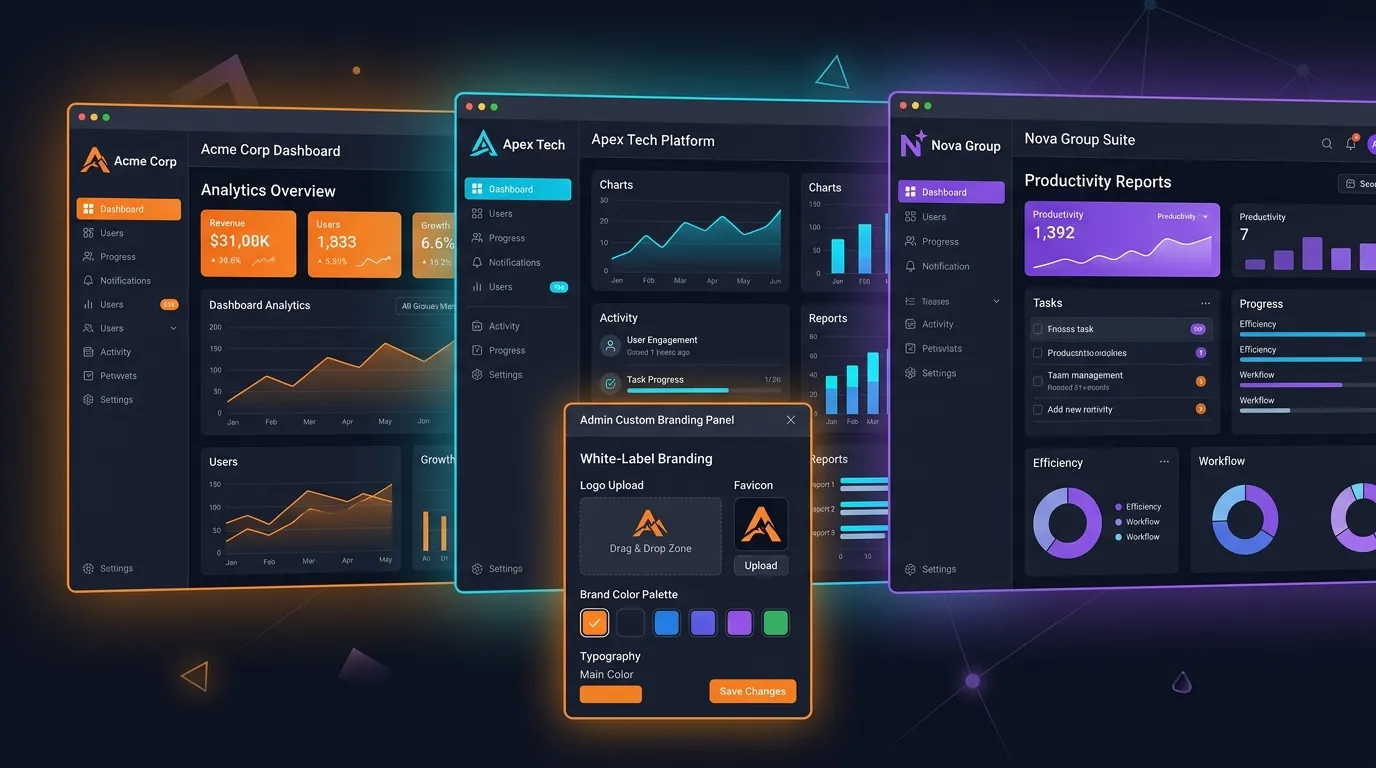
Custom branding dashboard in Vineforce Teams showing white-label logo and color settings
GetApp
Software Advice
Microsoft Azure Marketplace
Product Hunt
G2
Capterra
GoodFirms
GetApp
Software Advice
Microsoft Azure Marketplace
Product Hunt
G2
Capterra
GoodFirms

Track Productivity Under Your Own Brand

With Vineforce Teams, your team tracking software carries your logo, your colors, and your company name across every dashboard, report, and alert.

Fully branded team tracking dashboard showing custom logo and colors in Vineforce Teams

Fully Branded Dashboards and Reports

Every dashboard, productivity report, and screenshot alert your team sees will carry your logo and brand colors. No "Powered by Vineforce" watermarks. No third-party branding. Just your company identity on a professional tool your team actually trusts. This matters for agencies and resellers. When you hand a client a white-labeled productivity report, it reinforces your credibility rather than pointing them toward someone else's software. Explore the full Vineforce Teams feature set to see how branding fits into the broader platform.
How Custom Branding Works

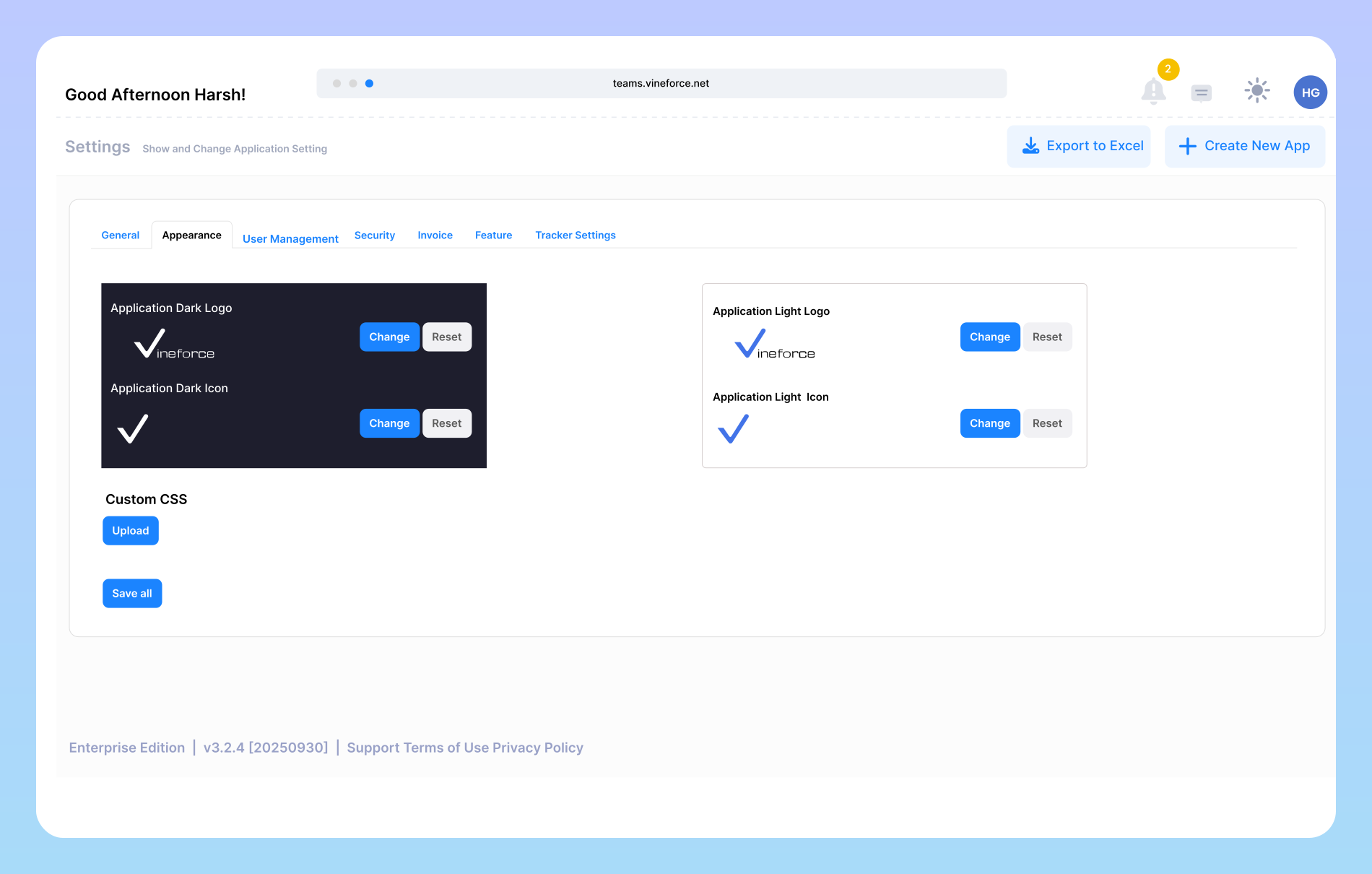
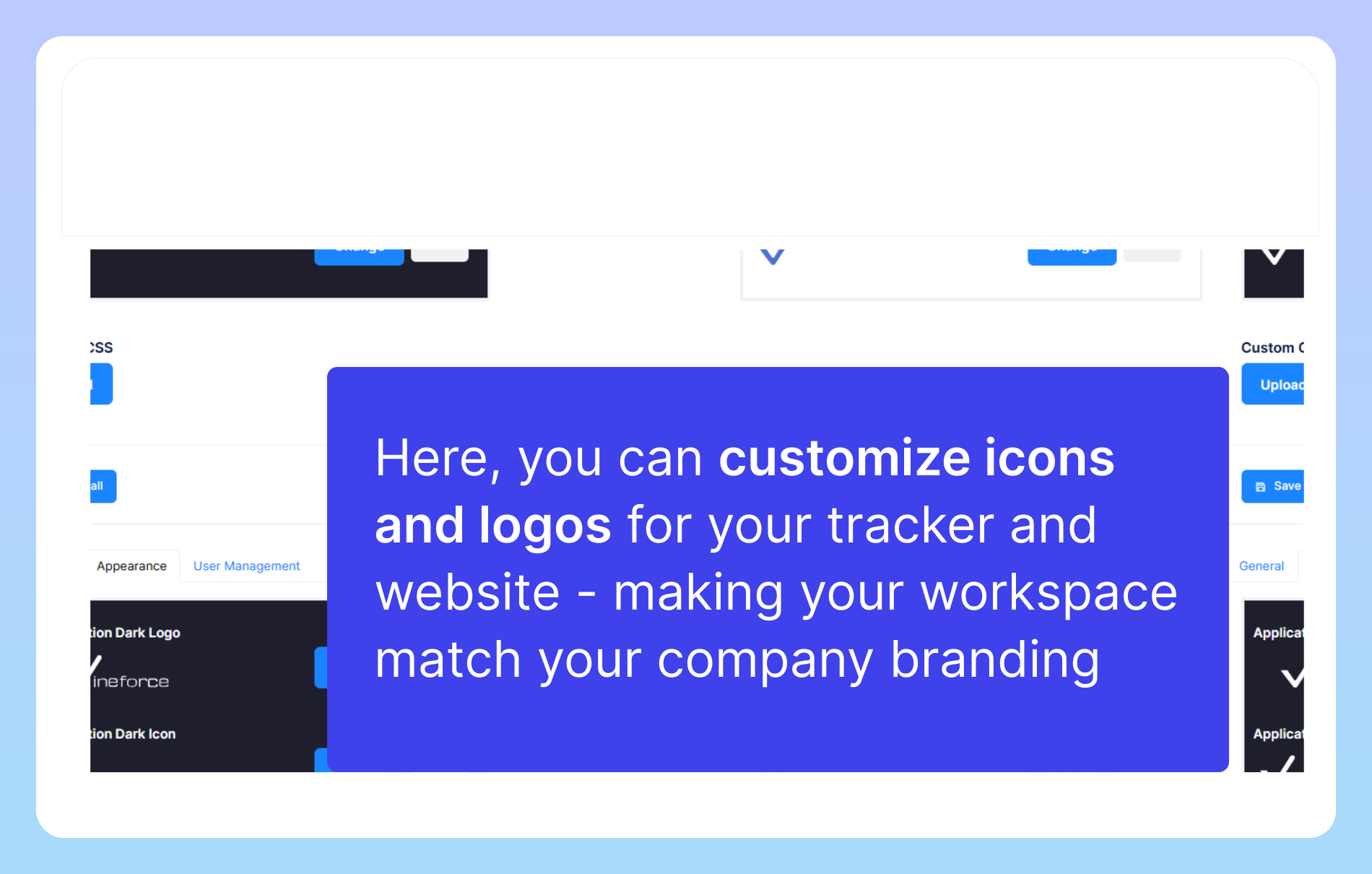
Custom branding lets you update the visual identity of your workspace by uploading your own logo, favicon, and brand assets. The admin panel walks you through each step with no developer required.

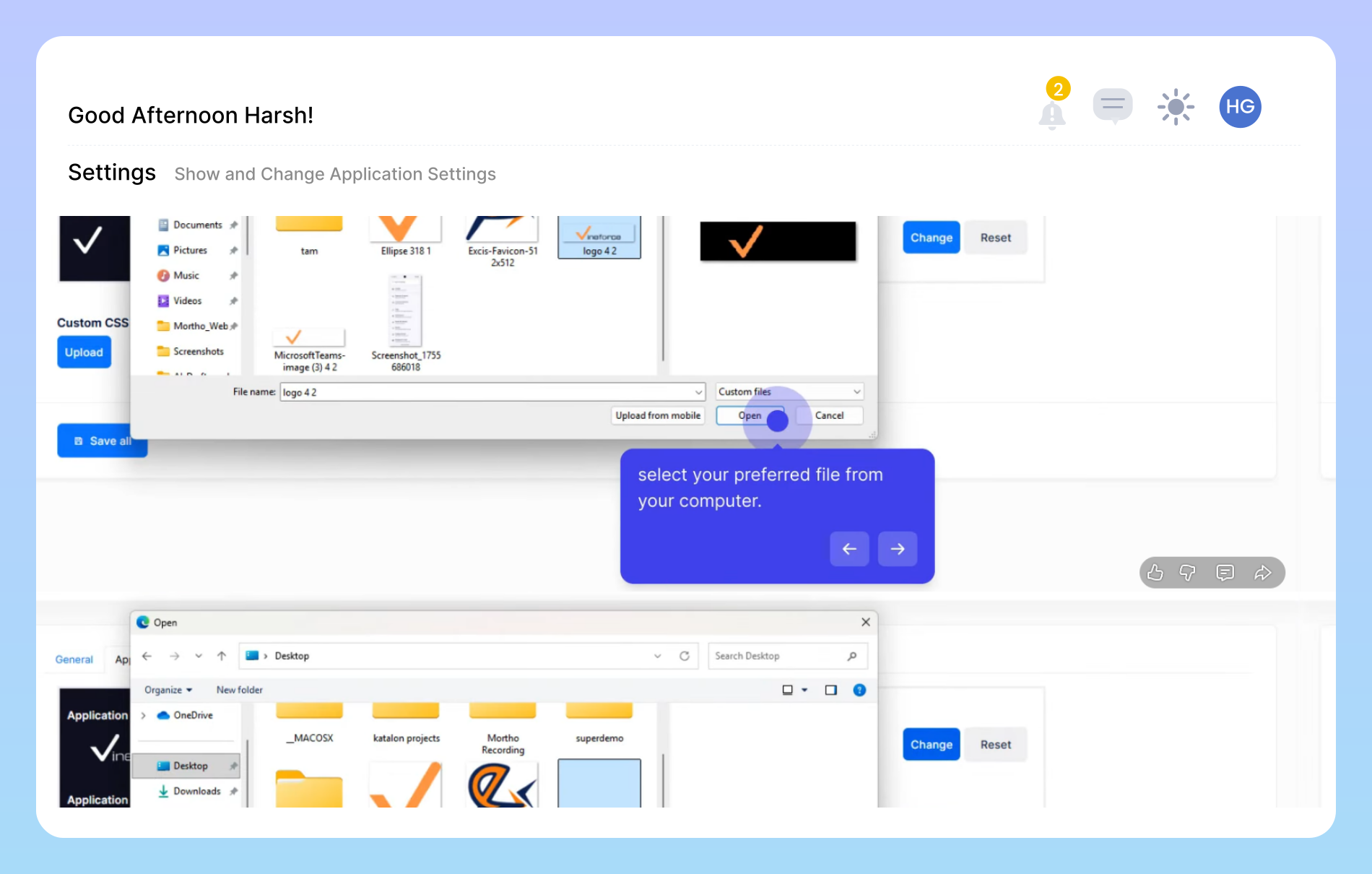
Custom icon and logo upload settings in Vineforce Teams admin panel

Upload Your Logo and Icons

Inside the admin panel, you upload your company logo and custom icons to replace all default Vineforce visuals. The tracker, web dashboard, and generated reports immediately reflect your brand. The process takes a few minutes. You choose the image, upload it, and save. That's it. If you also run a custom B2B SaaS application alongside Vineforce Teams, consistent branding across both tools builds a stronger, more professional product experience for your clients.

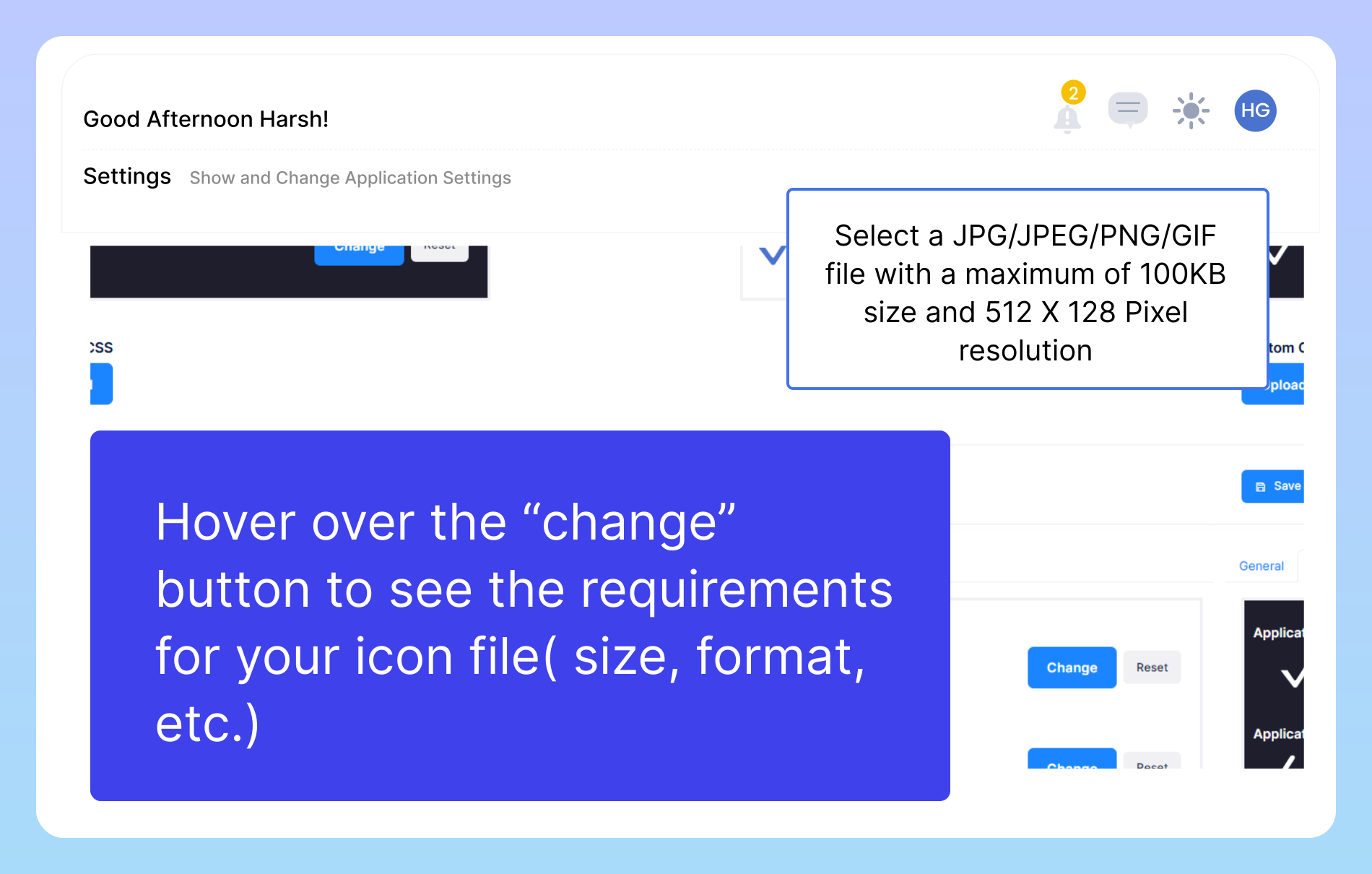
Icon upload specifications and file requirements in Vineforce Teams

Icon Upload Specifications

To keep your branding looking sharp across the application, your uploaded icons need to meet a few file requirements. Hover over the "Change" button in the admin panel to see the accepted formats (JPG, JPEG, PNG, GIF), the maximum file size, and the required pixel resolution. Meeting these specs prevents upload errors and ensures your logo renders clearly on all screen sizes, from a small taskbar icon to a full-width dashboard header. For a full walkthrough, see the Custom Branding documentation.

Brand presence across all Vineforce Teams touchpoints including desktop tracker and web reports

Your Brand on Every Touchpoint

Custom branding extends across the desktop tracker, the web dashboard, and every PDF or on-screen report your managers review. Internal tools feel more professional when they look like yours. Teams engage more consistently with software that feels familiar and purpose-built for the organization. For companies running Vineforce Teams as a managed service for their clients, white-label branding means the end customer never sees a third-party product; they see your platform. That separation is critical for agencies and software resellers who want full ownership of the client relationship.

Why Companies Choose Vineforce Teams for White-Label Branding

We Handle the Full Setup

We Handle the Full Setup

Vineforce manages the technical configuration from day one. Your team focuses on work, not on tracker setup, maintenance, or troubleshooting. We handle the infrastructure so you never have to.

Your Company, Your Brand

Your Company, Your Brand

Upload your logo, set your brand colors, and add your company name. Every dashboard and report your team sees reflects your identity. The software looks like yours, not a third-party tool.

Saves Time and Overhead

Saves Time and Overhead

No in-house technical team required to manage the tracker. Vineforce handles updates, bug fixes, and server reliability. You save the time, effort, and cost of running a tool in-house.

On-Premise and Self-Hosted Ready

Need your employee data to stay on your own servers? Vineforce Teams supports self-hosted deployment with a one-time license. Custom branding works fully in on-premise environments so your data, servers, and brand remain entirely your own.

Frequently Asked Questions

You can upload your own logo, apply your brand color palette, set a custom favicon, and add Custom CSS to fine-tune fonts, button styles, and layouts. Every dashboard and report your team sees will carry your company identity. The process works through a straightforward admin panel without any coding required for basic configuration.

Yes, this is a true white-label solution. Once you apply your branding, all Vineforce logos and references are removed from the interface. Your team and clients only see your brand. It looks and feels like software your company built in-house.

Custom Branding is a premium feature available on our advanced plans. Visit our pricing page or contact us directly to check which plan includes it. We can also put together a personalized quote if your organization needs a self-hosted or enterprise setup.

No. Basic branding including logo, favicon, and brand colors takes a few minutes through the admin panel. No code, no developer. If you want to go further with Custom CSS for advanced layout and font changes, a developer can help, but it is optional.

Yes. Vineforce Teams supports on-premise, self-hosted deployment with a one-time license. Custom branding works fully in self-hosted environments. Your organization controls the server, the data, and the visual identity of the tracker with no per-seat monthly fees and no data leaving your infrastructure.

Ready to streamline your entire workflow?

Vineforce Teams makes it simple to monitor employee productivity with automated time tracking, smart idle detection, and detailed reporting. Build the perfect system to manage projects, ensure accountability, and get insights into your team’s workflow, all in one place.