






GET 30-MINUTE FREE CONSULTATION

System Management

Get a complete, real-time inventory of all company hardware and system specifications from a single dashboard. This visibility simplifies IT management by helping teams track devices, monitor configurations, and maintain consistency across the organization. With accurate system data, you can enhance security, quickly identify potential risks.

Enjoy a 07-day free trial with no credit card required.

By creating an account, you accept our Terms and Privacy Policy

System Management dashboard
GetApp
Software Advice
Microsoft Azure Marketplace
Product Hunt
G2
Capterra
GoodFirms
GetApp
Software Advice
Microsoft Azure Marketplace
Product Hunt
G2
Capterra
GoodFirms

Why System Management Matters

System management serves as the backbone of all features, allowing managers to efficiently control user access, permissions, and roles.

Complete visibility into every system

Complete Visibility Into Every System

See CPU, RAM, disk usage, and running applications on every device in real time from a single view. The system continuously tracks performance for you, automatically identifying potential issues and generating clear, actionable reports without any manual effort. With instant alerts and detailed insights, you can optimize hardware usage, prevent slowdowns, and ensure your team’s systems run fast, stable, and smoothly at all times.
Organized Systems with Smart Hardware Tracking

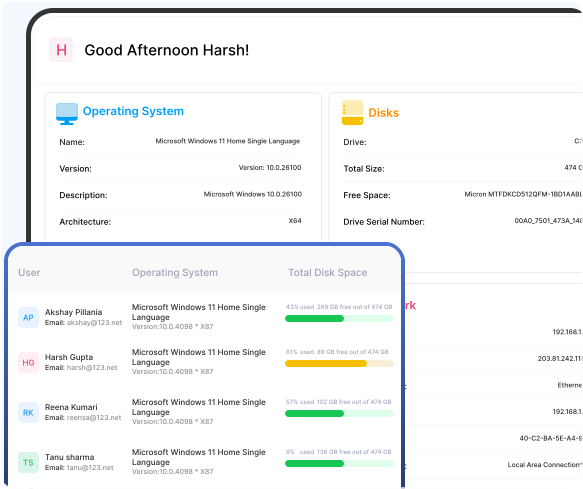
Get a clear picture of how every system is performing in real time. Easily track CPU, RAM, and disk usage, spot issues early, and understand which resources need attention.

Operating System system management

Operating System

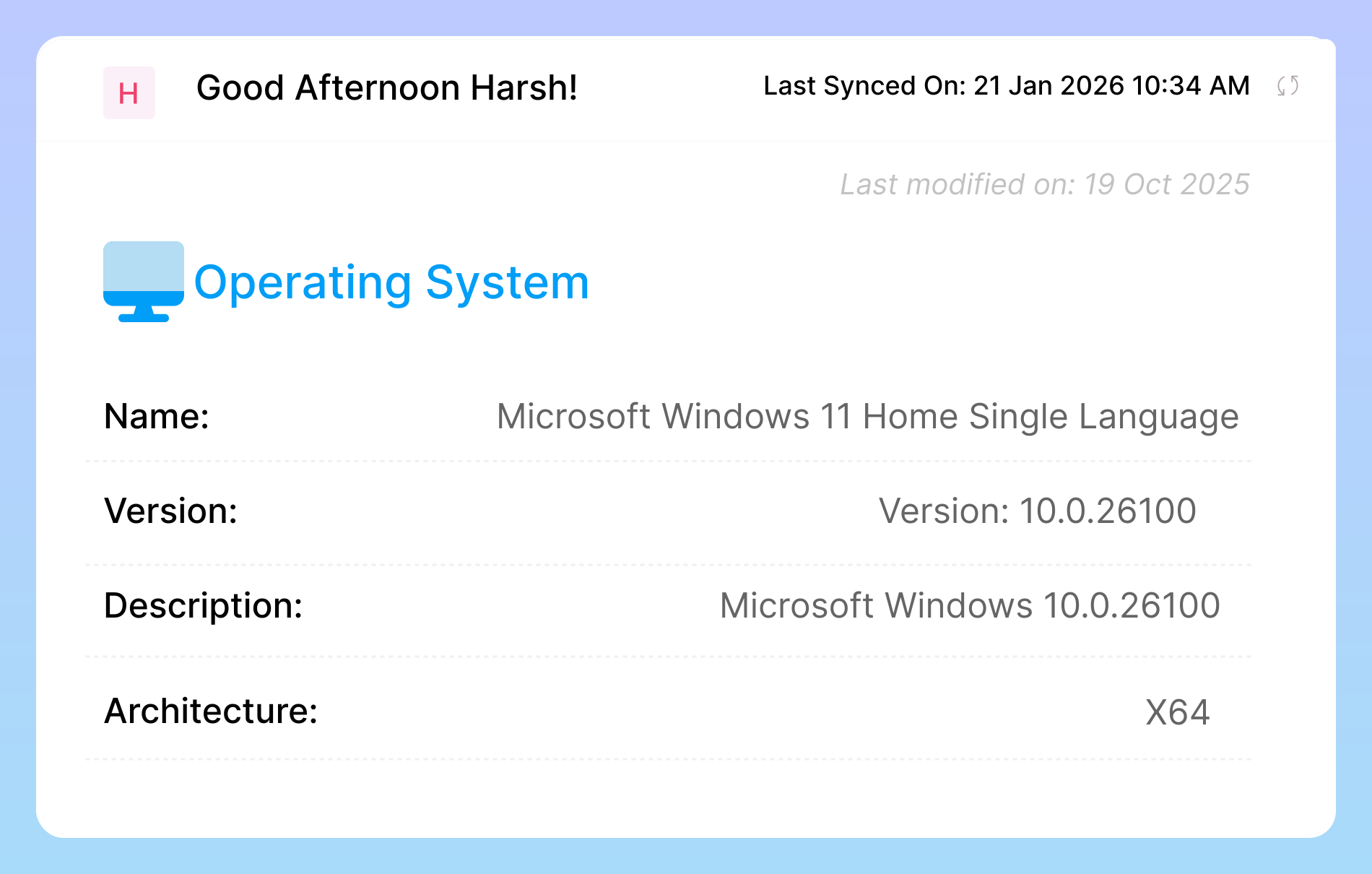
The Operating System section provides detailed information about each team member’s system, including the OS name, version, architecture, and description. This ensures that all devices are running compatible, secure, and high performance systems that meet company standards for reliability and efficiency.

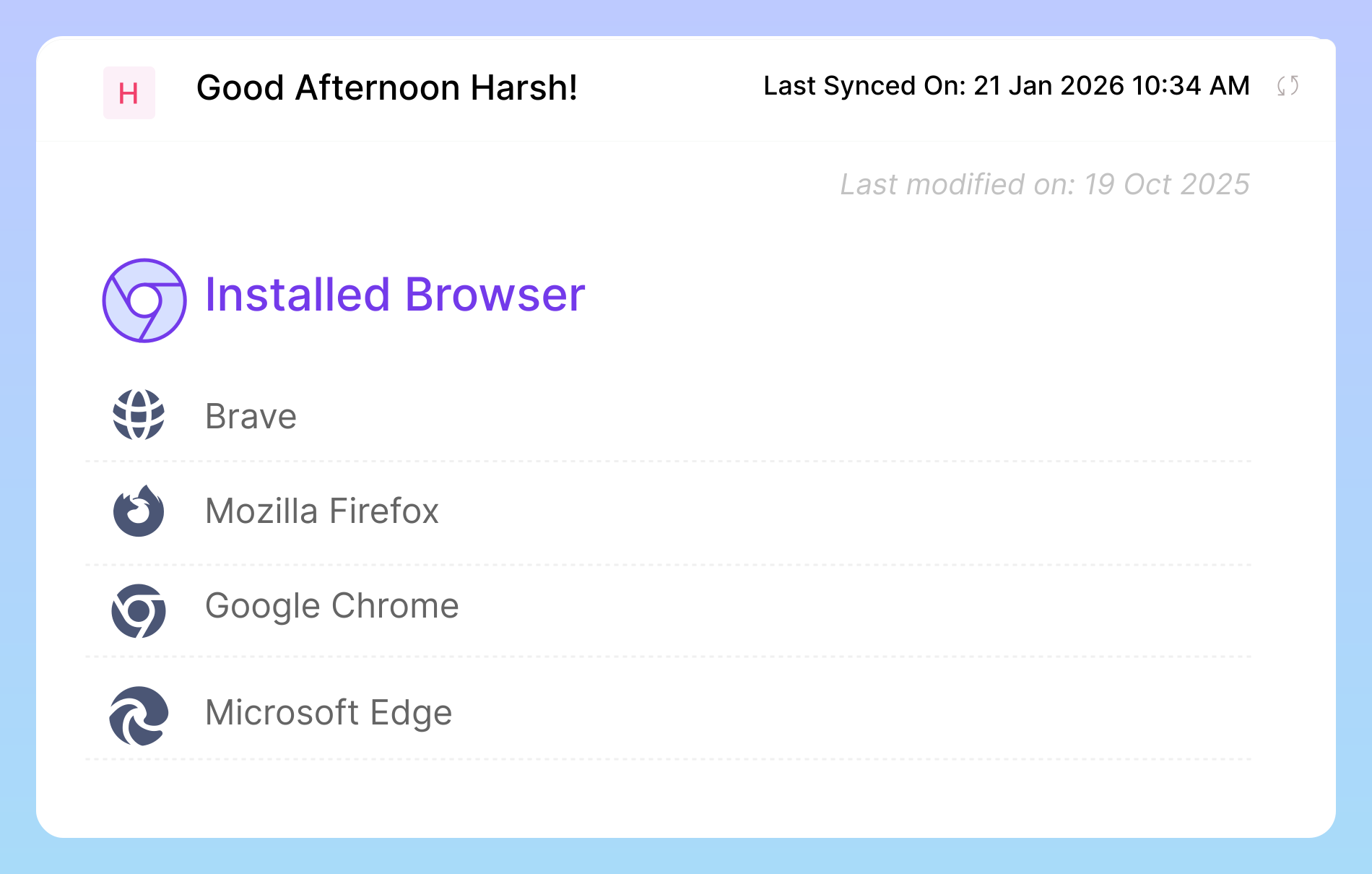
Installed browsers

Installed Browsers

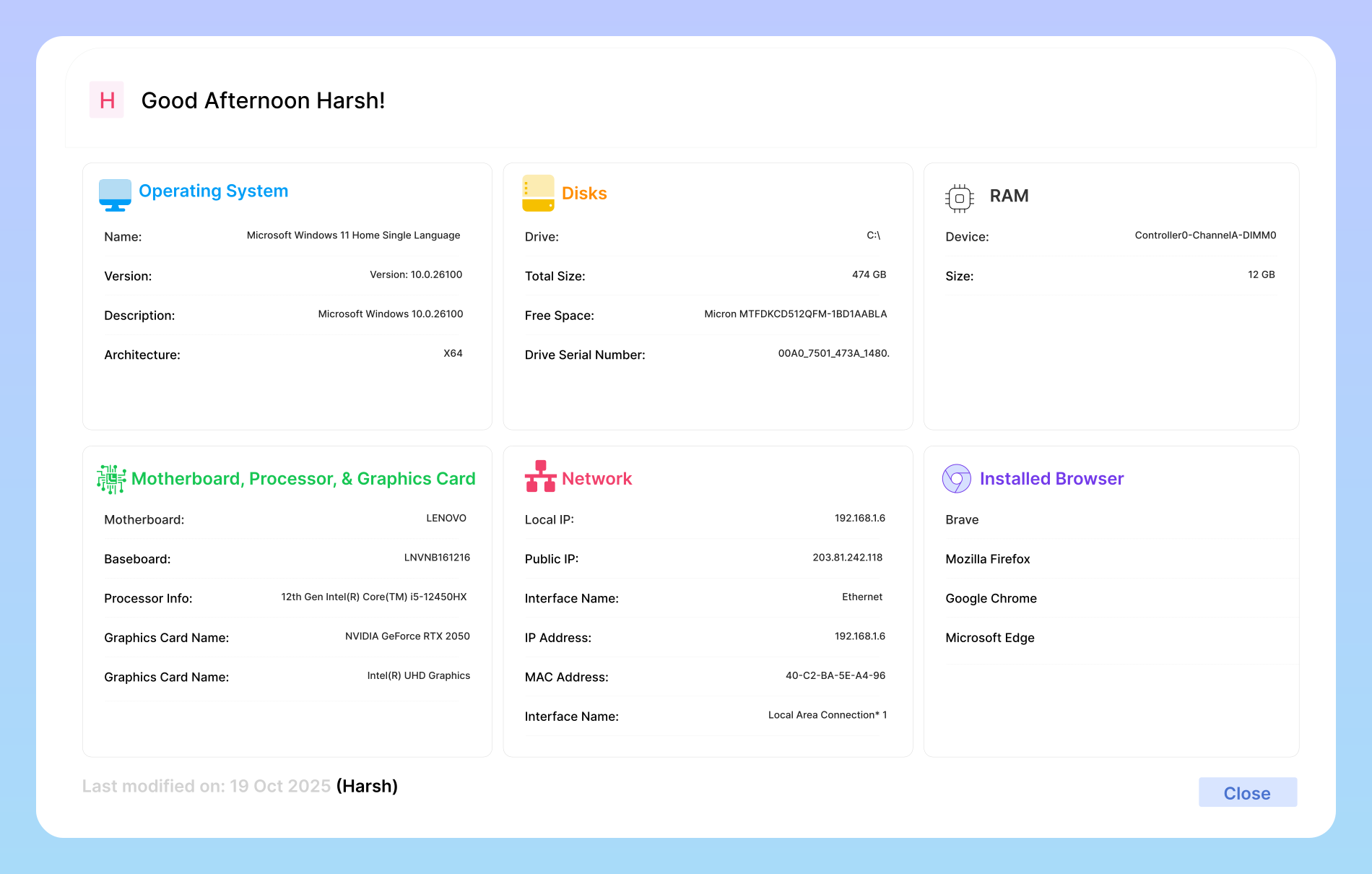
The Installed Browsers section shows which web browsers are installed on each team member’s system, helping ensure compatibility with company tools and maintaining security standards. It allows IT teams to verify that everyone is using supported and up-to-date browsers, reduce potential security risks.

System Management storage tracking

System Management Storage Tracking

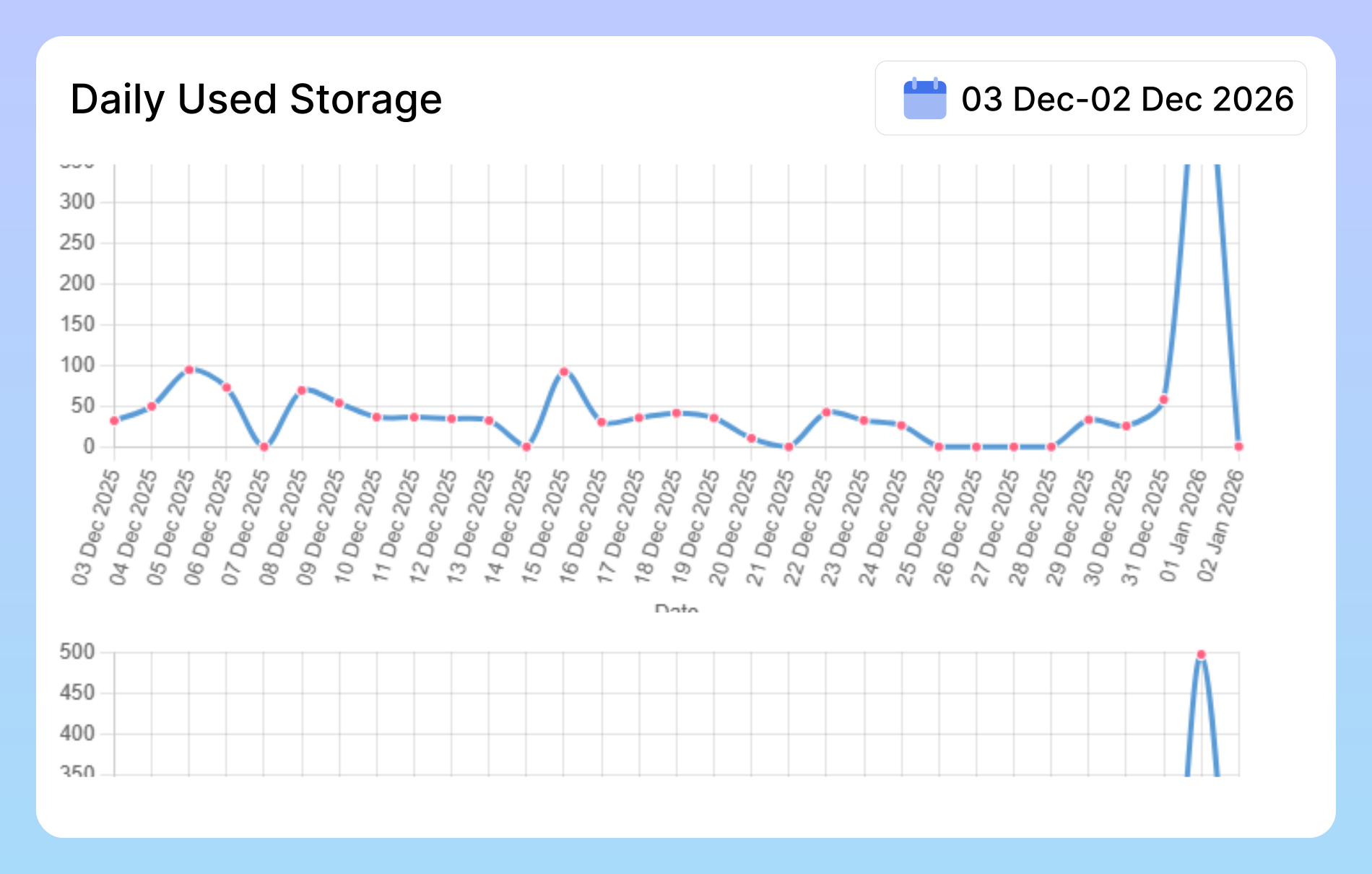
This section provides a clear view of daily storage usage to help system administrators monitor and manage data efficiently. By tracking storage consumption trends and identifying sudden spikes, teams can prevent storage overload, optimize system performance, and plan resources proactively. Regular monitoring ensures better control, improved stability, and timely decision-making across the system.

Clear Insights Into System Performance

With continuous monitoring and clear insights, you can maintain system stability, optimize performance, and keep your team productive without interruptions.

System Performance

System Performance

Monitor CPU, RAM, disk, and network usage in real time across all devices from a single dashboard. Get continuous visibility into system health, identify performance issues before they impact work, and understand how resources are being used throughout the day. With clear insights and automated reporting. you can optimize hardware performance.

Hardware Health Monitoring

Hardware Health Monitoring

Continuously track device temperature, battery health, and overall hardware performance to ensure systems operate safely and efficiently. Get early warnings about overheating, battery degradation, or hardware issues, helping you prevent failures, extend device lifespan, and keep your team’s work running without interruptions.

Centralized Device Log

Centralized Device Log

Access and manage historical system logs from all devices in one centralized location, giving IT teams complete visibility into system activity over time. Centralized logs make audits faster and more accurate by providing clear records of events, changes, and system behavior. They also significantly speed up troubleshooting by helping teams quickly.

Frequently Asked Questions

Our platform uses a lightweight, secure agent that you install on company-owned devices (Windows, macOS, etc.). This agent runs silently in the background and automatically collects key system information, syncing it to your central dashboard in real-time. For non-computer assets like monitors or keyboards, you can also add and assign them manually.

You can get a detailed view of your entire IT inventory, from core device information like type, manufacturer, and model, to essential system specs such as the OS version, CPU, RAM, and storage capacity. The system also shows you exactly which employee is assigned to each device and allows you to manually track other physical assets like monitors, docking stations, and phones.

While a spreadsheet is a start, it’s manual, instantly outdated, and prone to human error. Our tool provides a real-time, automated inventory. It eliminates guesswork, enhances security by connecting each device to a user, saves countless administrative hours, and gives you an accurate, reliable source of truth for all your company’s valuable assets.

It streamlines these processes significantly. For onboarding, you can quickly see all available hardware to assign to a new hire. For offboarding, it provides a clear and accurate checklist of every asset that needs to be recovered from the departing employee, drastically reducing the risk of lost or forgotten equipment.

Absolutely. In fact, it’s ideal. The platform is designed to be intuitive and easy to manage, regardless of your technical expertise. It gives small businesses the power to professionally track and secure their assets from day one, without the complexity or cost of traditional enterprise IT software.

Ready to streamline your entire workflow?

Vineforce Teams makes it simple to monitor employee productivity with automated time tracking, smart idle detection, and detailed reporting. Build the perfect system to manage projects, ensure accountability, and get insights into your team’s workflow, all in one place.