






GET 30-MINUTE FREE CONSULTATION

Boost Developer Efficiency

Time tracking is essential for developers, whether they’re in house, freelance, or consulting. Vineforce Teams automatic time tracking software helps them stay focused, increase productivity, and improve team performance.

Enjoy a 07-day free trial with no credit card required.

By creating an account, you accept our Terms and Privacy Policy.

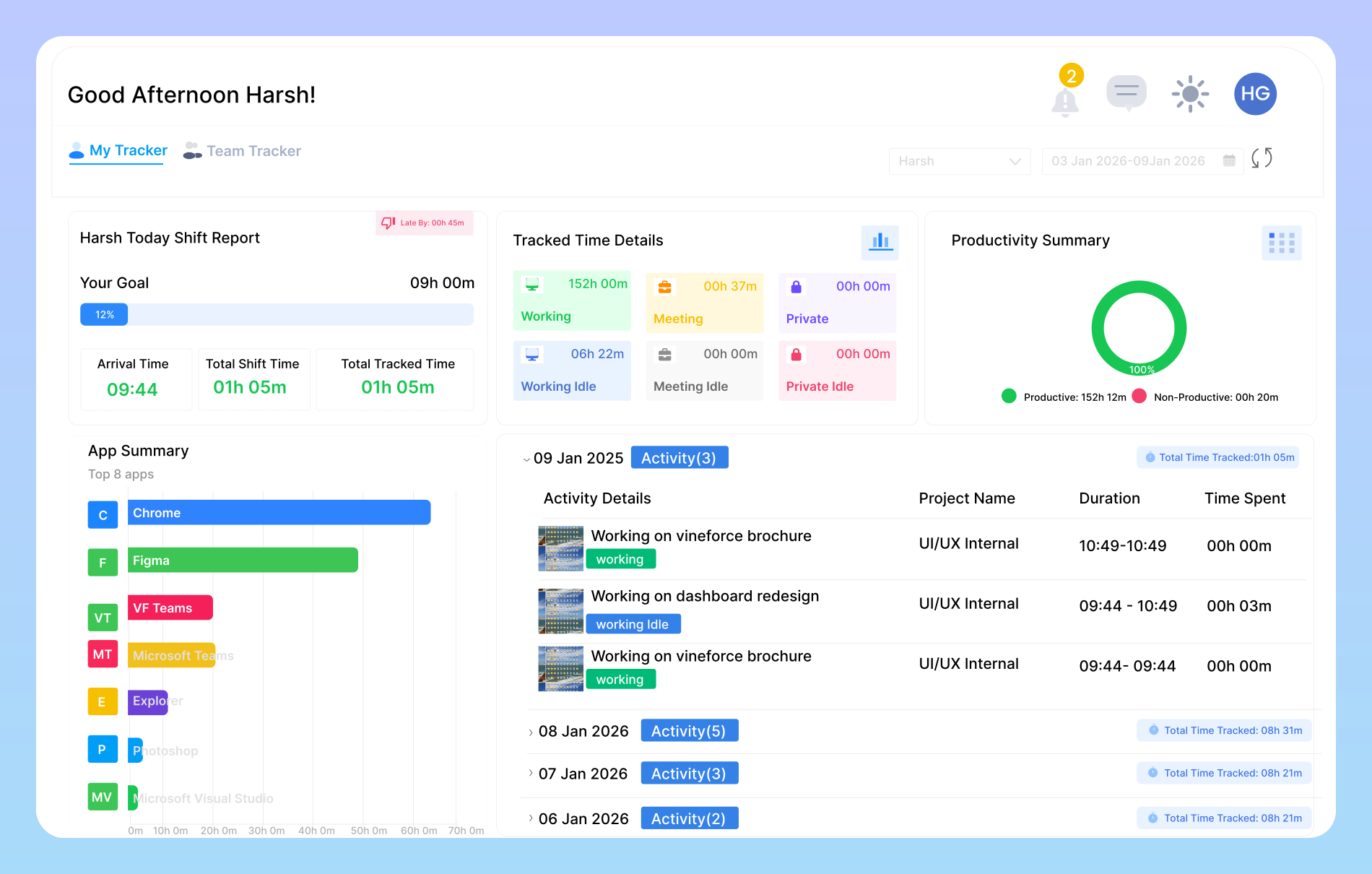
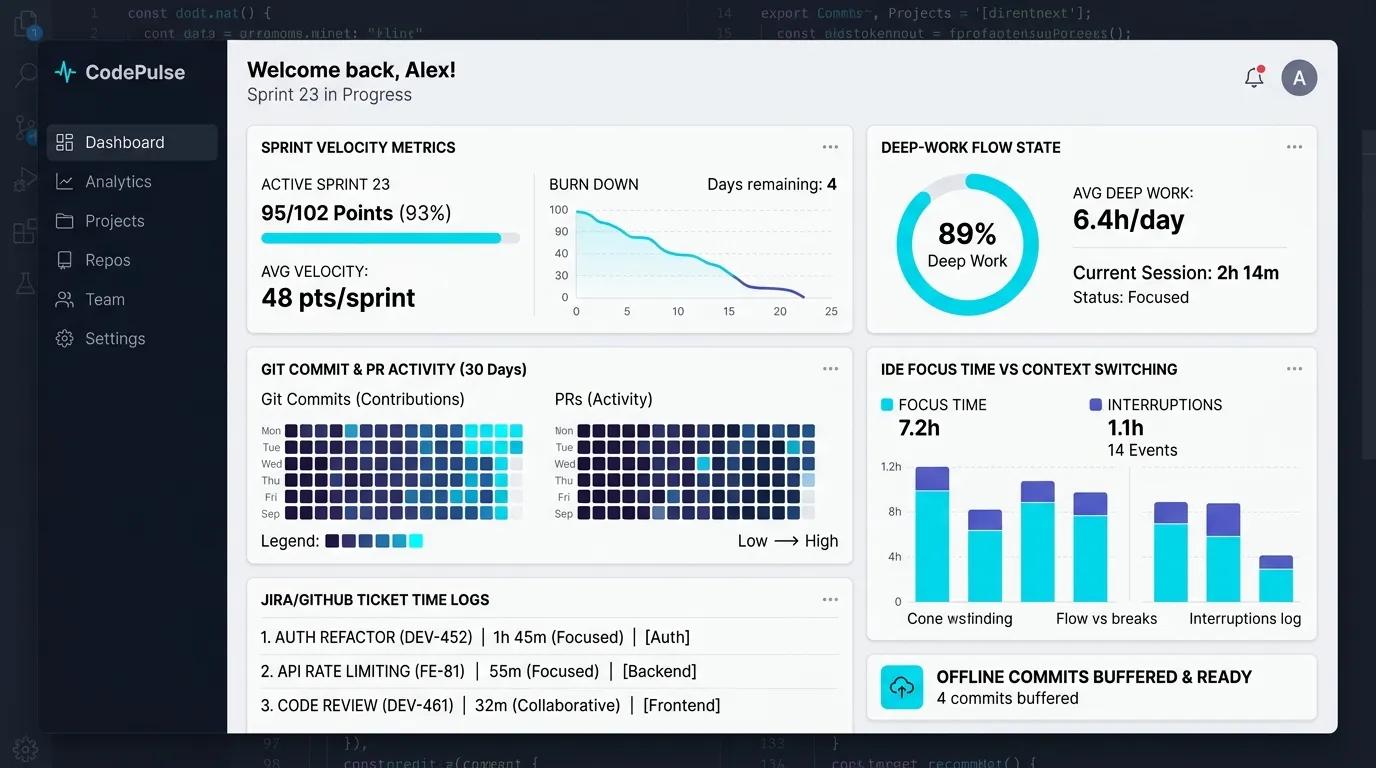
Dashboard homepage image
GetApp
Software Advice
Microsoft Azure Marketplace
Product Hunt
G2
Capterra
GoodFirms
GetApp
Software Advice
Microsoft Azure Marketplace
Product Hunt
G2
Capterra
GoodFirms

Vineforce Teams for Developers

Vineforce Teams offers automatic time tracking designed specifically for developers. It integrates seamlessly with third-party tools and runs quietly in the background.

Purpose of developer focused management image

Purpose of Developer Focused Management

Developers require deep focus, minimal interruptions, flexible schedules, and fair performance evaluation. Traditional monitoring methods often fail for development teams because productivity cannot be measured only by hours worked.

How Vineforce Teams Supports Developers

Vineforce Teams is designed to support developers, not control them by providing visibility, insights, and structure without breaking their workflow.

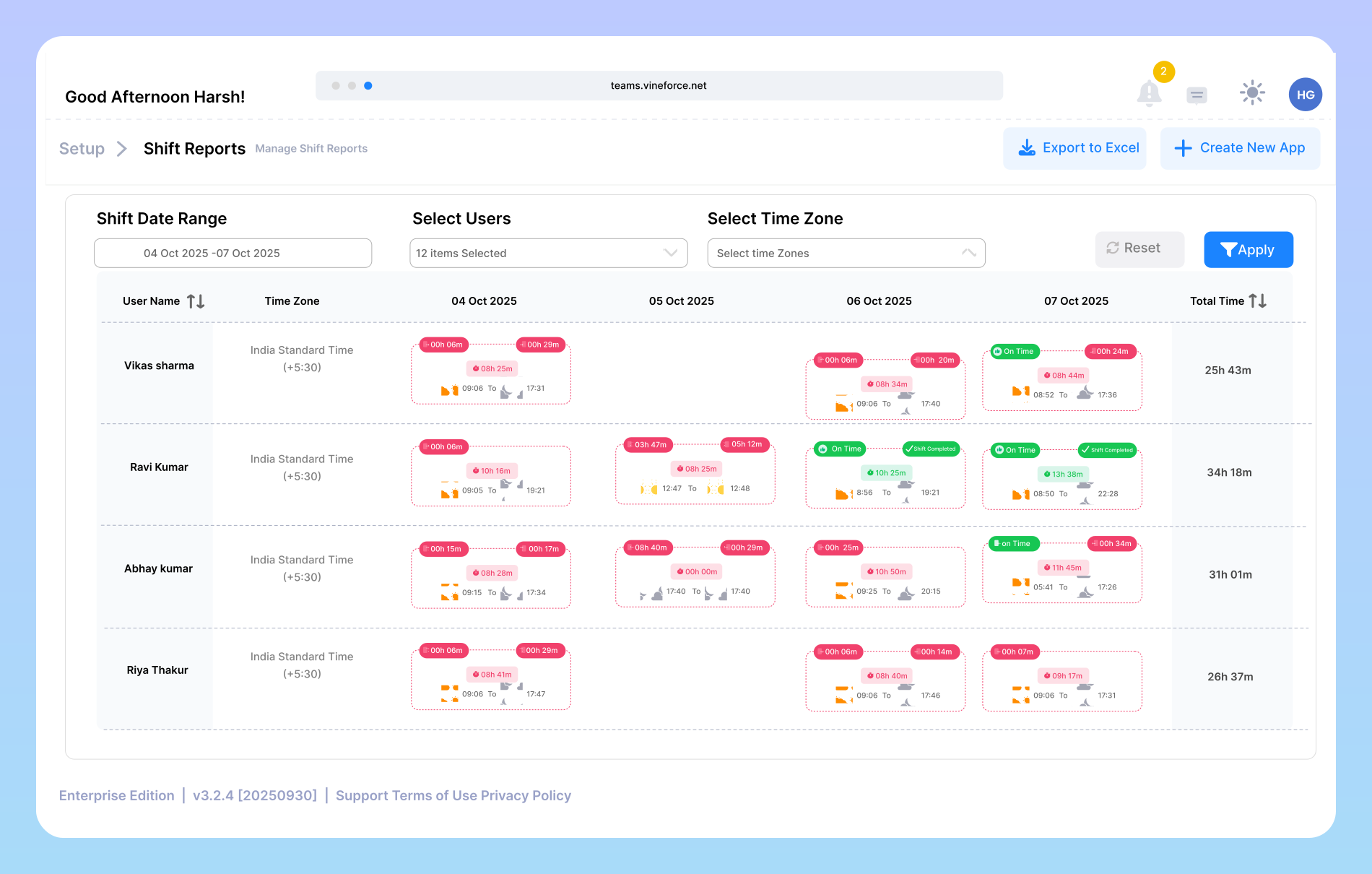
Shift scheduling for developers image

Shift Scheduling for Developers

One of the best solutions for large and global teams is the shift tracking feature. The Vineforce Teams Schedule Builder provides a complete daily, weekly, and monthly overview of shifts. This helps managers ensure everyone gets the same hours and avoid over and understaffing, allowing you to maximize team performance.

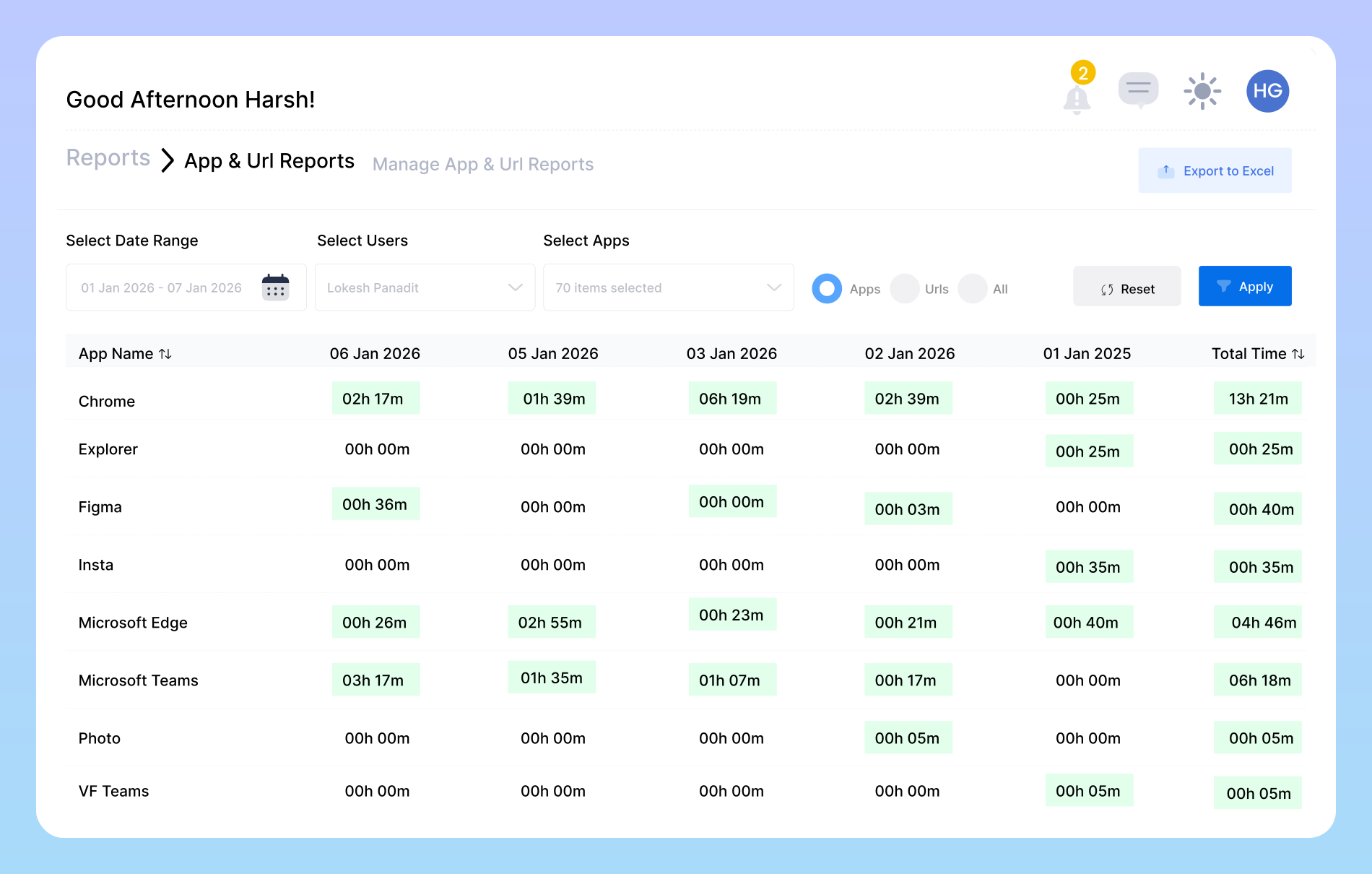
Automatic time tracking every developer needs image

Automatic Time Tracking Every Developer Needs

Vineforce Teams automatically tracks developers’ work in the background no need to manually clock in or out. By analyzing activity, app usage, and coding time, it generates detailed time usage reports, helping developers understand their habits, improve focus, and optimize productivity.

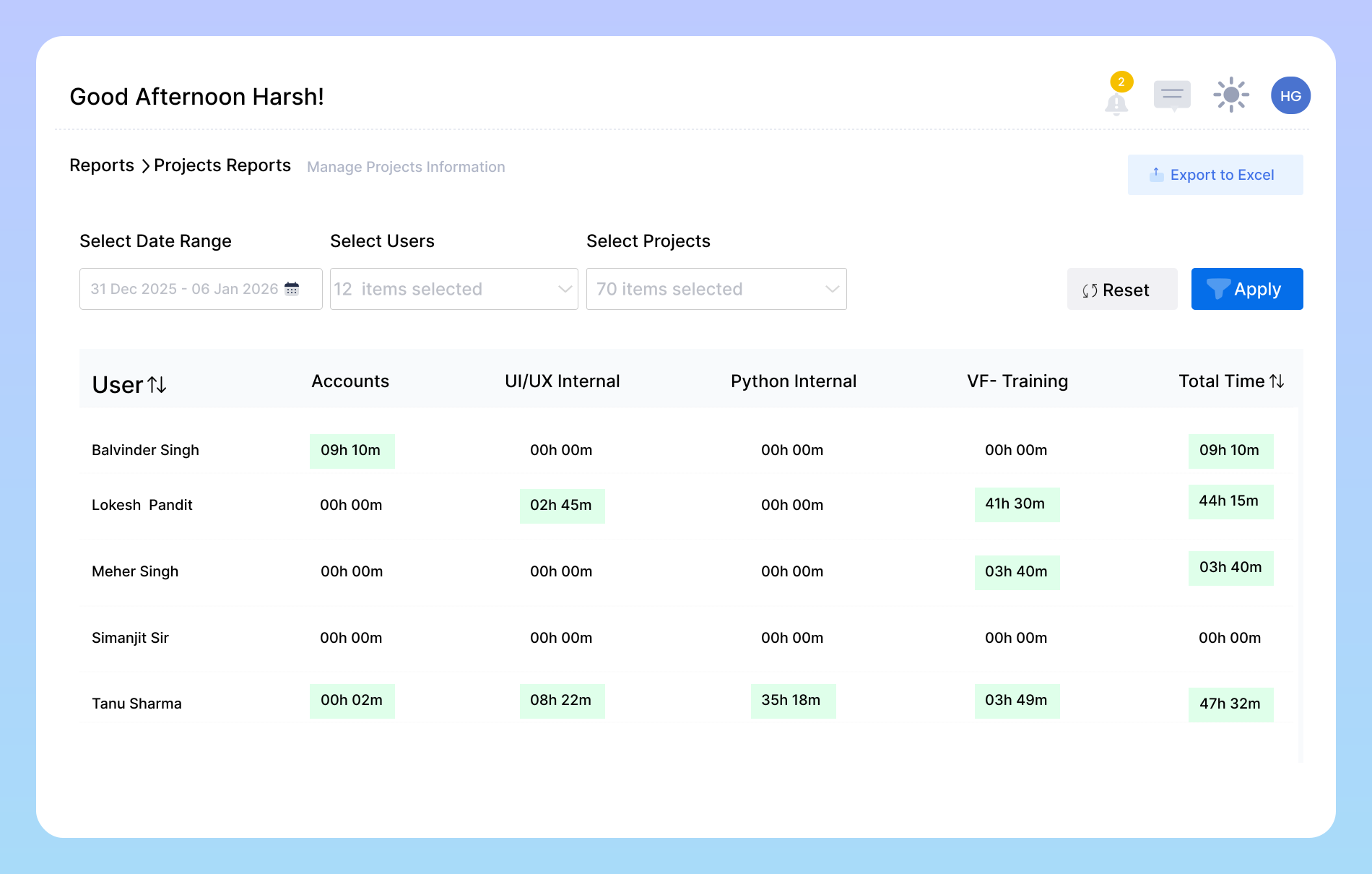
Project tracking and transparent reporting image

Project Tracking & Transparent Reporting

Vineforce Teams’ project tracking feature makes it easy to manage tasks, monitor progress, and keep developers focused without unnecessary distractions. Detailed reports and exports provide valuable insights for personal time management and serve as a transparent record of work, offering proof of productivity for both managers and teams.

Boost Your Development Workflow with Vineforce Teams

This intelligence empowers managers to enhance performance, support teams effectively, and create a more transparent, results driven work environment.

Improve Team Productivity

Improve Team Productivity

Every developer knows how difficult it can be to pause work for updates or small questions. With Vineforce Teams handle your team can stay fully focused while productivity tracking happens automatically in the background. You'll get a clear overview of every tasks and time spent, without interrupting your developers' workflow.

Automatic Time Tracking

Automatic Time Tracking

Vineforce Teams automatically tracks time in the background without any disturbance. You don't need to clock in or out. It provides detailed reports showing productive and unproductive time, helping you understand your work habits, better plan projects, and efficiently manage your labor costs.

Secure Work Proof

Secure Work Proof

Vineforce Teams doesn't just track your work hours; it gives you a complete view of your daily activities. The software periodically takes automatic screenshots of your work, providing a visual record of your activity. Furthermore, it generates daily and weekly reports that detail your productive and unproductive time.

Frequently Asked Questions

Yes. Managers get a clear overview of each developer’s productivity, time spent on tasks, and proof of work making remote team management easy and transparent.

Absolutely Vineforce Teams generates detailed daily and weekly reports showing total hours, productivity levels, and project progress.

Vineforce Teams automatically tracks time in the background while you work. It monitors active hours, applications used, and websites visited without requiring manual input.

These provide Developers with a clear picture of team productivity and time usage. By analyzing these reports, managers can identify high performing employees, assist those in need of guidance, and make data driven decisions to improve efficiency and project outcomes.

Ready to streamline your entire workflow?

Vineforce Teams makes it simple to monitor employee productivity with automated time tracking, smart idle detection, and detailed reporting. Build the perfect system to manage projects, ensure accountability, and get insights into your team’s workflow, all in one place.